Circulação
Como chegar: Mais > Administração > Preferências do sistema > Circulação
Solicitações de artigos
ArticleRequests
Pergunta: ___ que os usuários façam solicitações de artigos.
Padrão: Não habilitar
Valores:
Não habilitar
Habilitar
Descrição:
Esta preferência controla se os usuários podem ou não solicitar artigos.
Este é o controle principal da funcionalidade de solicitação de artigos.
ArticleRequestsLinkControl
Pergunta: ___ o link de solicitação de artigo nos resultados da pesquisa.
Padrão: Usar algoritmo para exibir ou ocultar
Valores:
Sempre exibir
Usar algoritmo para exibir ou ocultar
Descrição:
Na página de resultados do OPAC, sempre exiba o link ‘Solicitar artigo’ ou verifique a combinação de biblioteca, usuário e tipo de material para determinar se um artigo pode ser solicitado desse registro específico antes de exibir o link.
ArticleRequestsMandatoryFields
Pergunta: Para registros que permitem solicitações no nível do registro ou do exemplar, tornar obrigatórios os seguintes campos: ___
Padrão: Nenhum selecionado
Valores:
[Selecionar tudo]
Autor
Capítulos
Data
Número
Páginas
Título
Volume
Descrição:
Esta preferência controla quais campos devem ser preenchidos antes que uma solicitação de artigo possa ser feita no nível do registro ou do exemplar. Escolher [Selecionar todos] indica que todos os campos listados (Autor, Capítulos, Data, Número, Páginas, Título, Volume) devem ser preenchidos antes de fazer a solicitação de artigo.
ArticleRequestsMandatoryFieldsItemsOnly
Pergunta: Para registros que permitem solicitações somente no nível do exemplar, tornar obrigatórios os seguintes campos: ___
Padrão: Nenhum selecionado
Valores:
[Selecionar tudo]
Autor
Capítulos
Data
Número
Páginas
Título
Volume
Descrição:
Esta preferência controla quais campos devem ser preenchidos antes de fazer uma solicitação de artigo somente no nível do exemplar. Escolher [Selecionar todos] indica que todos os campos listados (Autor, Capítulos, Data, Número, Páginas, Título, Volume) devem ser preenchidos antes de fazer a solicitação de artigo.
ArticleRequestsMandatoryFieldsRecordOnly
Pergunta: Para registros que permitem solicitações somente no nível do registro, tornar obrigatórios os seguintes campos: ___
Padrão: Nenhum selecionado
Valores:
[Selecionar tudo]
Autor
Capítulos
Data
Número
Páginas
Título
Volume
Descrição:
Esta preferência controla quais campos devem ser preenchidos antes de fazer uma solicitação de artigo somente no nível do registro. Escolher [Selecionar todos] indica que todos os campos listados (Autor, Capítulos, Data, Número, Páginas, Título, Volume) devem ser preenchidos antes de fazer a solicitação de artigo.
ArticleRequestsOpacHostRedirection
Pergunta: ___ o redirecionamento do registro analítico para o registro hospedeiro com base no campo MARC21 773$w quando o registro analítico não tiver exemplares ao solicitar artigos no OPAC.
Padrão: Desabilitar
Valores:
Desabilitar
Habilitar
Descrição:
Quando ativada, se um usuário tentar fazer uma solicitação de artigo a partir de um registro analítico, o sistema preencherá automaticamente alguns detalhes da solicitação usando dados do registro hospedeiro.
ArticleRequestsSupportedFormats
Pergunta: São aceitos os seguintes formatos de solicitação de artigos: ___
Padrão: Fotocópia
Valores:
Fotocópia
Digitalização
Descrição:
Esta preferência do sistema controla as opções disponíveis no menu suspenso ‘Formato’ ao fazer uma solicitação de artigo.
Marque as caixas dos formatos aceitos pela biblioteca.
A primeira opção da lista será a opção padrão no formulário de solicitação de artigo. Se necessário, arraste e solte as opções na ordem desejada.
Empréstimo em lote
BatchCheckouts
Pergunta: ___ empréstimos em lote
Padrão: Não permitir
Valores:
Permitir
Não permitir
Descrição:
Esta preferência do sistema é o controle principal da funcionalidade de empréstimo em lote
Certifique-se de adicionar as categorias de usuários autorizadas a realizar empréstimos em lote em BatchCheckoutsValidCategories
Ver também:
BatchCheckoutsValidCategories
Pergunta: Categorias de usuários autorizadas a realizar empréstimos em lote: ___
Valores:
Os valores são as categorias de usuários; é possível selecionar várias categorias.
Padrão: nenhum
Descrição:
Marque as categorias de usuários para as quais os empréstimos em lote são permitidos
BatchCheckouts deve estar ativada para que esta preferência tenha efeito
Ver também:
Módulo de agendamentos
EnableBooking
Versão
Esta preferência do sistema foi introduzida pela primeira vez na versão 25.11 do Koha. Nas versões anteriores, não há opção para desativar os agendamentos; os elementos relacionados a esse recurso estão sempre visíveis.
Pergunta: ___ o módulo de agendamentos.
Valores:
Desabilitar
Habilitar
Padrão: Ativar
Descrição:
Esta preferência do sistema controla se os elementos que fazem parte do recurso de agendamentos aparecem na interface administrativa.
Ela é útil para bibliotecas que não usam agendamentos e desejam ocultar todas as menções ao recurso. Para isso, defina a preferência do sistema como ‘Desativar’.
Política de devolução
AutomaticConfirmTransfer
Pergunta: ___ confirmar automaticamente uma transferência quando a janela modal for fechada sem clicar em ‘Sim’.
Padrão: Não fazer
Valores:
Não fazer
Fazer
Descrição:
Esta preferência do sistema é usada para controlar o comportamento da transferência quando um membro da equipe clica fora da janela pop-up de confirmação da transferência.
Quando definida como “Não”, clicar fora da janela pop-up manterá o exemplar como está.
Quando definida como “Sim”, clicar fora da janela pop-up confirmará a transferência e colocará o exemplar em trânsito.
Só é possível clicar fora da janela pop-up se a preferência do sistema TransfersBlockCirc estiver definida como “Não bloquear”.
BlockReturnOfLostItems
Pergunta: ___ a devolução de exemplares que foram perdidos.
Padrão: Não bloquear
Valores:
Bloquear
Não bloquear
Descrição:
Esta preferência do sistema controla se um exemplar com estado de perdido (952$1 no MARC21) pode ou não ser devolvido.
BlockReturnOfWithdrawnItems
Pergunta: ___ a devolução de exemplares que foram retirados de circulação.
Padrão: Bloquear
Valores:
Bloquear
Não bloquear
Descrição:
Esta preferência do sistema controla se um exemplar com estado de retirado de circulação (952$0 no MARC21) pode ou não ser devolvido.
CalculateFinesOnBackdate
Pergunta: ___ calcular e atualizar os débitos por atraso quando um exemplar for devolvido com uma data de devolução retroativa.
Padrão: Sim
Valores:
Fazer
Não fazer
Descrição:
Esta preferência do sistema é semelhante a CalculateFinesOnReturn, mas é usada quando as devoluções são retroativas, pelo modo de caixa de devolução ou pela data de devolução especificada (consulte SpecifyReturnDate).
CalculateFinesOnReturn
Pergunta: ___ calcular e atualizar os débitos por atraso quando um exemplar for devolvido.
Padrão: Sim
Valores:
Fazer
Não fazer
Descrição:
Se esta preferência estiver definida como “Sim” e a tarefa agendada de multas estiver desativada, o Koha calculará as multas somente quando os exemplares forem devolvidos. Se a tarefa agendada de multas estiver ativada e esta preferência definida como “Sim”, as multas serão calculadas pela tarefa agendada (normalmente executada à noite) e novamente quando o exemplar for devolvido. Esta opção é mais adequada para empréstimos por hora. Se esta preferência estiver definida como “Não”, as multas só serão acumuladas se a tarefa agendada de multas estiver em execução.
Aviso
Se você realiza empréstimos por hora, isto deve ser definido como ‘Sim’.
Aviso
A preferência do sistema finesMode deve estar definida como ‘Calcular e cobrar’ para que esta preferência tenha efeito.
HidePersonalPatronDetailOnCirculation
Pergunta: ___ o número de telefone, endereço de e-mail, endereço e cidade do usuário na página de circulação.
Valores:
Não rastrear
Ocultar
Padrão: Não limite
Descrição:
Esta preferência controla a exibição do número de telefone, endereço de e-mail e endereço físico do usuário no lado esquerdo da tela (abaixo da foto, se houver) na página de circulação.
Quando definida como ‘Ocultar’, essas informações ficarão visíveis apenas na página de detalhes do usuário.
HoldsAutoFill
Pergunta: ___ atender automaticamente às reservas em vez de solicitar confirmação ao bibliotecário.
Padrão: Não fazer
Valores:
Fazer
Não fazer
Descrição:
Se definida como ‘Sim’, a janela pop-up de confirmação de reserva não aparecerá ao devolver um exemplar reservado.
HoldsAutoFillPrintSlip
Pergunta: ___ exibir automaticamente a caixa de diálogo do comprovante de reserva para reservas atendidas automaticamente.
Padrão: Não fazer
Valores:
Fazer
Não fazer
Descrição:
Se definida como ‘Sim’, a janela pop-up de impressão do comprovante de reserva aparecerá automaticamente ao devolver um exemplar reservado.
HoldsAutoFill deve estar definida como ‘sim’ para que esta preferência tenha efeito.
HoldsNeedProcessingSIP
Pergunta: ___ as reservas automaticamente se um exemplar correspondente for devolvido pelo protocolo SIP.
Padrão: Atender
Valores:
Atender
Não atender
Descrição:
Esta preferência do sistema controla se as reservas são ou não atendidas automaticamente por exemplares devolvidos via SIP (classificador, estações de autodevolução etc.)
PreventWithdrawingItemsStatus
Versão
Esta preferência do sistema foi adicionada ao Koha na versão 25.11.
Pergunta: Impedir a retirada de circulação de exemplares com os seguintes estados: ___
Valores:
[Selecionar tudo]
Emprestado
Em trânsito
Padrão: nenhum
Descrição:
Esta preferência do sistema pode ser usada para impedir que a equipe da biblioteca marque exemplares como retirados de circulação quando eles estiverem emprestados ou em trânsito.
SkipHoldTrapOnNotForLoanValue
Pergunta: Nunca capturar exemplares com os valores de ‘não emprestável’ ___ para atender a reservas.
Descrição:
Esta preferência do sistema é usada para excluir completamente do atendimento de reservas os exemplares com valores de ‘não emprestável’.
Insira os valores autorizados NOT_LOAN separados por barras verticais (|).
StoreLastBorrower
Versão
Esta preferência do sistema foi ampliada na versão 26.05 do Koha para permitir o armazenamento de qualquer quantidade de usuários. Nas versões anteriores, apenas o último usuário era salvo, com uma opção binária (‘Armazenar’ ou “Não armazenar” o último usuário).
Pergunta: Armazenar os últimos ___ usuários que devolveram um exemplar.
Padrão: 0
Descrição:
Esta preferência permite armazenar os últimos X usuários que devolveram um exemplar, mesmo que tenham optado por anonimizar seu histórico de circulação.
Insira o número de usuários a armazenar.
Insira 0 ou deixe vazio para desativar esta opção.
Os últimos usuários que devolveram o exemplar serão exibidos na página de informações do exemplar.
Nota
Esta preferência armazena os últimos usuários que devolveram o exemplar. Os três últimos usuários são armazenados independentemente desta preferência do sistema (a menos que os empréstimos tenham sido anonimizados) e exibidos na página de informações do exemplar.
Nota
Esta configuração é independente de opacreadinghistory e AnonymousPatron.
TransfersBlockCirc
Pergunta: ___ que a equipe continue devolvendo exemplares quando uma transferência for acionada.
Padrão: Bloquear
Valores:
Não bloquear
Bloquear
Descrição:
Esta preferência do sistema controla se a janela pop-up de transferência bloqueia ou não novas devoluções.
Se estiver definida como “Não bloquear”, a preferência do sistema AutomaticConfirmTransfer determinará o que acontece se a janela pop-up for fechada sem confirmar a transferência.
TrapHoldsOnOrder
Pergunta: ___ exemplares não emprestáveis, mas reserváveis (notforloan < 0), para atender a reservas.
Padrão: Capturar
Valores:
Não capturar
Capturar
Descrição:
Esta preferência do sistema controla se exemplares que têm um valor autorizado NOT_LOAN menor que 0 (o que significa que o exemplar pode ser reservado, mas não emprestado) devem ser usados para atender a reservas.
UpdateItemLocationOnCheckin
Pergunta: Esta é uma lista de pares de valores. O primeiro valor é seguido imediatamente por dois-pontos, espaço e, em seguida, pelo segundo valor.
Descrição:
Esta preferência do sistema afeta as localizações atual e permanente do exemplar quando ele é devolvido (independentemente de ter sido emprestado ou não).
Se o valor de localização à esquerda dos dois-pontos (:) corresponder à localização atual do exemplar, ele será atualizado para corresponder ao valor de localização à direita dos dois-pontos (:).
Os valores são os valores autorizados LOC.
Por exemplo,
STAFF: GENmoverá um exemplar do escritório da equipe para a coleção geral quando ele for devolvido.Termos especiais
PROC: Centro de processamento. Ao usar PROC, somente a localização atual será afetada.CART: Carrinho de reposição. Ao usar CART, somente a localização atual será afetada._PERM_: Usará a localização permanente do exemplar, qualquer que seja ela._BLANK_: Usado à esquerda como primeiro valor, adicionará uma localização se não houver nenhuma. Usado à direita como segundo valor, removerá a localização._ALL_: Usado à esquerda como primeiro valor, afetará todos os exemplares e substituirá todas as outras regras.
Aviso
Requer sintaxe YAML para funcionar
Isso significa
Certifique-se de que NÃO haja espaço entre o primeiro valor e os dois-pontos
Certifique-se de que HAJA um espaço entre os dois-pontos e o segundo valor
Certifique-se de que cada par está em sua própria linha
Se usar PROC ou CART, execute a tarefa agendada cart_to_shelf para devolver os exemplares à localização permanente após um número determinado de horas.
UpdateNotForLoanStatusOnCheckin
Pergunta: Esta é uma lista de tipos de material e pares de valores. Quando um exemplar for devolvido, se seu tipo de material corresponder e se o valor à esquerda corresponder ao valor de não emprestável do exemplar, ele será atualizado para o valor à direita.
Descrição:
Esta preferência do sistema afeta o estado ‘não emprestável’ do exemplar quando ele é devolvido (independentemente de ter sido emprestado ou não).
Para cada tipo de material, pode haver vários pares de estados de não emprestável.
Se o valor de estado à esquerda dos dois-pontos (:) corresponder ao estado atual do exemplar, ele será atualizado para corresponder ao valor de estado à direita dos dois-pontos (:).
Os valores são os valores autorizados NOT_LOAN.
Os códigos de tipo de material são provenientes dos tipos de material.
Por exemplo, ‘-1: 0’ fará com que um exemplar definido como ‘Encomendado’ passe a estar disponível para empréstimo
O código
_ALL_pode ser usado no lugar de um código de tipo de material para aplicar a todos os tipos de material. Isso não substituirá outras regras, caso alguma esteja definida para tipos de material específicos.Esta preferência do sistema também pode ser usada apenas para exibir o estado de não emprestável. Para isso, insira
ONLYMESSAGEà direita dos dois-pontos.
Exemplo:
_ALL_:
 -1: 0

CR:
 1: 0

BK:
 -1: ONLYMESSAGE
Para todos os tipos de material, exceto BK, o valor -1 será alterado para 0.
Para o tipo de material CR, o valor 1 será alterado para 0.
Para o tipo de material BK, o valor -1 exibirá a descrição do estado de não emprestável -1, sem alterá-lo.
Aviso
Requer sintaxe YAML para funcionar
Isso significa
O código do tipo de material deve ser seguido por dois-pontos
Certifique-se de que todos os pares de valores de não emprestável de um tipo de material sejam precedidos por um espaço
Certifique-se de que NÃO haja espaço entre o primeiro valor e os dois-pontos
Certifique-se de que HAJA um espaço entre os dois-pontos e o segundo valor
Certifique-se de que cada par está em sua própria linha
Política de empréstimo
AgeRestrictionMarker
Pergunta: Impedir que usuários com os seguintes valores de público-alvo retirem materiais inadequados: ___
Descrição:
Esta preferência define determinadas palavras-chave que farão o Koha restringir o empréstimo com base na idade. Essas restrições podem ser substituídas pela preferência AgeRestrictionOverride. Insira neste campo uma série de palavras-chave separadas por barras verticais (|), sem espaços. Por exemplo, PG|R|E|EC|Age| procurará PG seguido por um número de idade, R seguido por um número de idade, Age seguido por um número de idade e assim por diante. Esses valores podem aparecer em qualquer campo MARC, mas a Library of Congress recomenda o 521$a (Nota de público-alvo). Qualquer que seja o campo escolhido, você deve mapear para ele a palavra agerestriction da tabela biblioitems em Mapeamento do Koha para MARC. Durante a catalogação, você pode inserir valores como PG 13 ou E 10 no 521$a, e o Koha notificará a equipe de circulação de que o material pode não ser recomendado para o usuário com base em sua idade.
Importante
Você deve mapear a palavra agerestriction da tabela biblioitems para o campo MARC em que essas informações aparecerão, por meio da área administrativa Mapeamento do Koha para MARC.
AgeRestrictionOverride
Padrão: Não permitir
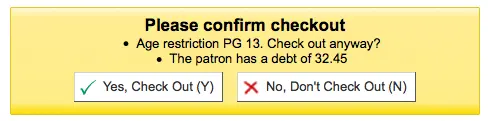
Pergunta: ___ que a equipe empreste um exemplar com restrição de idade.
Valores:
Permitir
Não permitir

Descrição:
Quando a preferência AgeRestrictionMarker estiver definida, o Koha tentará alertar a equipe de circulação antes de emprestar um exemplar que possa ter uma restrição de idade indicada no registro MARC. Esta preferência determina se a equipe ainda poderá emprestar esses exemplares a usuários abaixo do limite de idade.
AllFinesNeedOverride
Pergunta: ___ que a equipe substitua manualmente todas as multas, mesmo as inferiores ao valor definido na preferência do sistema noissuescharge. Ativar esta preferência do sistema bloqueará todos os empréstimos para usuários com multas, tanto pelo sistema de autoempréstimo via web quanto pelo SIP.
Valores:
não exigir
Exigir
Padrão: Exigir
Descrição:
Esta preferência permite decidir se você deseja ser sempre avisado de que o usuário tem multas ao realizar um empréstimo. Se estiver definida como ‘Exigir’, independentemente do valor devido pelo usuário, uma mensagem pop-up avisará que ele deve dinheiro.
AllowFineOverride
Padrão: Não permitir
Pergunta: ___ que a equipe substitua manualmente a restrição e empreste exemplares a usuários com multas superiores ao valor definido na preferência do sistema noissuescharge.
Valores:
Permitir
Não permitir
Descrição:
Esta preferência permite decidir se a equipe pode emprestar a usuários que devem mais dinheiro do que o normalmente permitido em suas contas. Se definida como ‘Permitir’, a equipe será avisada de que o usuário possui débito, mas isso não impedirá o empréstimo.
AllowItemsOnHoldCheckoutSCO
Padrão: Não permitir
Pergunta: ___ empréstimos, no módulo SCO, de exemplares reservados para outra pessoa. Se permitido, não gerar os avisos RESERVE_WAITING e RESERVED. Isso permite o autoempréstimo desses exemplares.
Valores:
Permitir
Não permitir
Importante
Esta preferência do sistema refere-se apenas ao autoempréstimo via web do Koha.
Descrição:
Quando esta preferência estiver definida como ‘Permitir’, os usuários poderão usar o autoempréstimo via web do Koha para emprestar um livro a si mesmos, mesmo que esteja reservado para outra pessoa. Se desejar que o Koha impeça o empréstimo de livros reservados para outra pessoa, defina esta preferência como “Não permitir”.
AllowItemsOnHoldCheckoutSIP
Pergunta: ___ empréstimos de exemplares reservados para outra pessoa por meio de mensagens de empréstimo SIP. Se permitido, não gerar o aviso RESERVED. Isso permite o autoempréstimo desses exemplares. Se a fila de reservas for usada, os exemplares com reservas pendentes serão marcados como “indisponíveis” se esta preferência estiver definida como “Não permitir”.
Valores:
Não permitir
Permitir
Padrão: Não permitir
Nota
Esta preferência do sistema refere-se apenas ao autoempréstimo baseado em SIP, não ao autoempréstimo via web do Koha.
Descrição:
Quando esta preferência estiver definida como ‘Permitir’, os usuários poderão usar a máquina externa de autoempréstimo para retirar um livro, mesmo que ele esteja reservado para outra pessoa.
Se desejar que o Koha impeça o empréstimo de livros reservados para outra pessoa, defina esta preferência como ‘Não permitir’.
AllowItemsOnLoanCheckoutSIP
Versão
Este recurso foi introduzido na versão 24.11 do Koha.
Pergunta: ___ empréstimos de exemplares já emprestados a outra pessoa por meio de mensagens de empréstimo SIP. Se permitido, não gerar o aviso ISSUED_TO_ANOTHER. Isso permite o autoempréstimo desses exemplares.
Valores:
Não permitir
Permitir
Padrão: Não permitir
Descrição:
Esta preferência do sistema controla se um usuário pode retirar, em um terminal de autoatendimento SIP, um exemplar atualmente emprestado a outra pessoa.
Se definida como ‘Não permitir’, o terminal bloqueará o empréstimo de exemplares já emprestados.
Definir esta preferência do sistema como ‘Permitir’ será especialmente útil para bibliotecas que funcionam sem equipe em determinados horários. Isso significa que, mesmo que um exemplar não tenha sido devolvido corretamente e ainda esteja marcado como emprestado no Koha, o usuário que o retirar da estante da biblioteca poderá emprestá-lo no terminal de autoatendimento sem precisar da ajuda de um bibliotecário.
Esta preferência do sistema não afeta os empréstimos realizados pela equipe da biblioteca na interface administrativa do Koha.
AllowMultipleIssuesOnABiblio
Padrão: Permitir
Pergunta: ___ que os usuários retirem vários exemplares do mesmo registro.
Valores:
Permitir
Não permitir
Descrição:
Se esta preferência do sistema estiver definida como ‘Permitir’, os usuários poderão retirar vários exemplares do mesmo título ao mesmo tempo. Se estiver definida como “Não permitir”, poderão retirar somente um exemplar vinculado a um registro por vez. Independentemente da opção escolhida nesta preferência do sistema, registros com assinaturas vinculadas permitirão vários empréstimos.
Importante
Isto afetará somente registros sem uma assinatura vinculada.
AllowNotForLoanOverride
Padrão: Permitir
Pergunta: ___ que a equipe substitua a restrição e empreste exemplares marcados como não emprestáveis.
Valores:
Permitir
Não permitir
Descrição:
Este parâmetro é uma configuração binária que controla a capacidade da equipe (os usuários sempre serão impedidos de retirar esses exemplares) de emprestar exemplares marcados como “não emprestáveis”. Defini-lo como “Permitir” permitirá o empréstimo desses exemplares; defini-lo como “Não permitir” impedirá isso. Esta configuração determina se exemplares destinados a permanecer na biblioteca, como materiais de referência e outros recursos da biblioteca, podem ser emprestados aos usuários.
AllowRenewalLimitOverride
Pergunta: ___ que a equipe substitua manualmente bloqueios de renovação e renove um empréstimo quando ele:
excederia o limite de renovações; ou
seria antecipado em relação à configuração “Não renovar antes de” da política de circulação, ou,
está programado para renovação automática
Valores:
Permitir
Não permitir
Padrão: Permitir
Descrição:
Esta preferência do sistema controla a capacidade da equipe de substituir os limites impostos ao número de vezes que um exemplar pode ser renovado. Defini-la como “Permitir” substitui esses limites; defini-la como “Não permitir” impede isso.
Quando definida como “permitir”, a equipe da biblioteca deve usar seu julgamento ao substituir o limite de renovações em casos especiais. Defini-la como “não permitir” impede que a equipe use seu critério.
AllowRenewalOnHoldOverride
Pergunta: ___ que a equipe renove exemplares reservados especificando manualmente uma data de devolução.
Padrão: Não permitir
Valores:
Permitir
Não permitir
Descrição:
Esta preferência permite que exemplares reservados sejam renovados com uma data de devolução especificada pelo usuário.
Ela pode aparecer em dois locais:
Na tabela “Empréstimos” da tela Detalhes do usuário. É possível selecionar para renovação exemplares emprestados que, de outro modo, atenderiam a uma solicitação de reserva. Quando um exemplar desse tipo é selecionado, uma caixa adicional de seleção de data é exibida para permitir que o usuário especifique a data de devolução de todos os exemplares reservados que serão renovados.
Na tela de alerta Circulação > Renovar. Quando é inserido o código de barras de um exemplar emprestado que normalmente atenderia a uma solicitação de reserva, o alerta habitual informa que o exemplar está reservado; ainda é possível substituir essa restrição e renovar. Com esta preferência ativada, também é possível especificar uma data de devolução.
AllowReturnToBranch
Pergunta: Permitir que exemplares sejam devolvidos ___.
Valores:
em qualquer biblioteca
somente na biblioteca de origem do exemplar
somente na biblioteca em que o exemplar foi emprestado
na biblioteca de origem do exemplar ou na biblioteca em que ele foi emprestado
Padrão: em qualquer biblioteca
Descrição:
Esta preferência permite que o sistema de bibliotecas decida como aceitará as devoluções. Alguns sistemas permitem que os exemplares sejam devolvidos em qualquer biblioteca do sistema (o valor padrão desta preferência); outros desejam limitar as devoluções a bibliotecas específicas. Esta preferência do sistema permite limitar as devoluções às bibliotecas definidas no valor.
AllowTooManyOverride
Padrão: Permitir
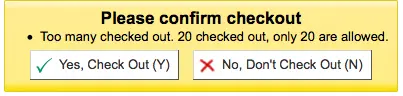
Pergunta: ___ que a equipe substitua a restrição e empreste exemplares quando o usuário tiver atingido o número máximo de empréstimos permitidos.
Valores:
Permitir
Não permitir

Descrição:
Se esta preferência estiver definida como “Permitir”, toda a equipe verá uma opção para emprestar ao usuário mais exemplares do que o normalmente permitido nas regras de circulação e multas. Se estiver definida como “Não permitir”, nenhum membro da equipe poderá ultrapassar o limite de circulação.
AlwaysLoadCheckoutsTable
Versão
Este recurso foi introduzido na versão 24.11 do Koha.
Pergunta: ___ sempre carregar imediatamente a tabela de empréstimos ao abrir a conta do usuário na interface administrativa.
Valores:
Não fazer
Fazer
Padrão: Não fazer
Descrição:
Na conta do usuário, todos os empréstimos atuais são listados na aba ‘Empréstimos’. Quando esta preferência do sistema está definida como ‘Não’, a equipe precisa clicar no botão ‘Exibir empréstimos’ para carregar a lista. É possível marcar ‘Sempre exibir empréstimos automaticamente’; a escolha será lembrada durante a sessão do navegador.
Quando esta preferência do sistema está definida como ‘Sim’, a lista de empréstimos sempre será carregada imediatamente para todos os membros da equipe, sem que precisem clicar em qualquer outra opção.
Se perceber que a página demora a carregar, use a preferência do sistema LoadCheckoutsTableDelay. para adicionar um atraso, permitindo que o restante da página seja carregado antes dos empréstimos.
AutomaticItemReturn
Padrão: Sim
Pergunta: ___ transferir automaticamente os exemplares para sua biblioteca de origem quando forem devolvidos.
Valores:
Fazer
Não fazer
Descrição:
Esta preferência é uma configuração binária que determina se um exemplar será ou não devolvido automaticamente à biblioteca de origem. Se definida como “Não”, o membro da equipe que devolver um exemplar em um local diferente da biblioteca de origem será questionado se o exemplar permanecerá na outra biblioteca (nesse caso, o novo local será marcado como biblioteca atual) ou se será devolvido. Defini-la como “Sim” garantirá que os exemplares devolvidos em uma biblioteca diferente da biblioteca de origem sejam enviados para ela.
AutomaticRenewalPeriodBase
Versão
Este recurso foi introduzido pela primeira vez na versão 26.05 do Koha.
Asks: When renewing checkouts automatically, base the new due date on ___
Valores:
a data de devolução anterior do empréstimo
a data atual
Padrão: a data de devolução anterior do empréstimo
Descrição:
This system preference allows you to control the renewal base period separately for automatic and manual renewals.
For manual renewals see ManualRenewalPeriodBase.
AutoReturnCheckedOutItems
Pergunta: ___ exigir que os bibliotecários confirmem manualmente um empréstimo quando o exemplar já estiver emprestado a outro usuário.
Valores:
Fazer
Não fazer
Padrão: Sim
Descrição:
Esta preferência controla se o Koha solicita confirmação ao tentar emprestar um exemplar que já está emprestado a outro usuário.
Definida como ‘Sim’, o Koha solicitará que o membro da equipe confirme o empréstimo.

Definida como ‘Não’, o Koha simplesmente devolverá o exemplar da conta do usuário anterior, o emprestará ao usuário atual e exibirá uma mensagem.

CircControl
Padrão: a biblioteca de origem do exemplar
Pergunta: Usar as regras de empréstimos e multas de ___
Valores:
a biblioteca de origem do exemplar
As políticas de circulação e multas serão determinadas pela biblioteca do exemplar; HomeOrHoldingBranch define se será usada a biblioteca de origem ou a biblioteca atual do exemplar.
a biblioteca de origem do usuário
As políticas de circulação e multas serão determinadas pela biblioteca de origem do usuário
a biblioteca em que você está conectado
As políticas de circulação e multas serão determinadas pela biblioteca que emprestou o exemplar ao usuário
CircControlReturnsBranch
Pergunta: Para determinar se um exemplar será transferido ou permanecerá na biblioteca após a devolução, usar as regras de circulação de ___.
Padrão: a biblioteca proprietária do exemplar (homebranch)
Valores:
a biblioteca em que o exemplar é devolvido (biblioteca de devolução)
a biblioteca que atualmente mantém o exemplar (holdingbranch)
a biblioteca proprietária do exemplar (homebranch)
Descrição:
Esta preferência do sistema controla qual regra da política de devolução (o exemplar retorna à biblioteca de origem, retorna à biblioteca que o emprestou ou permanece circulando entre as bibliotecas) é usada na devolução de exemplares.
ConsiderLibraryHoursInCirculation
Versão
Esta preferência do sistema foi adicionada ao Koha na versão 24.05.
Pergunta: Ao emprestar por hora um exemplar cuja devolução ocorrerá após o fechamento da biblioteca, ___
Padrão: reduzir o período de empréstimo e definir a devolução para o horário de fechamento da biblioteca.
Valores:
reduzir o período de empréstimo e definir a devolução para o horário de fechamento da biblioteca.
não considerar o horário de funcionamento da biblioteca.
ampliar o período de empréstimo e definir a devolução para o horário de abertura da biblioteca.
Descrição:
Esta preferência do sistema determina o que acontecerá com um empréstimo por hora cuja devolução ocorreria fora do horário de funcionamento da biblioteca.
Defina o horário de funcionamento da biblioteca em Administração > Bibliotecas.
ConsiderOnSiteCheckoutsAsNormalCheckouts
Pergunta: ___ os empréstimos locais como empréstimos normais. Se ativada, os empréstimos locais contarão para o limite de empréstimos regulares. O limite de empréstimos locais ainda será aplicado a eles. Se desativada, os dois valores serão verificados separadamente.
Padrão: Considerar
Valores:
Considerar
Não considerar
Descrição:
Esta preferência permite decidir se os empréstimos considerados empréstimos locais contam para o total de empréstimos que um usuário pode ter. Você também pode configurar as regras de circulação e multas para permitir apenas determinado número de empréstimos normais e locais.
DefaultLongOverduePatronCategories
Versão
Esta preferência do sistema foi adicionada na versão 24.05 do Koha.
Pergunta: Definir como categorias padrão de usuários que receberão o processamento de atrasos prolongados ___
Valores:
Os valores são as categorias de usuários; é possível selecionar várias categorias.
Padrão: nenhum
Descrição:
Importante
Esta preferência do sistema só ficará ativa se DefaultLongOverdueSkipPatronCategories estiver vazia.
Esta preferência do sistema é usada para limitar o processamento automático de atrasos prolongados (ativado pelas preferências do sistema DefaultLongOverdueLostValue e DefaultLongOverdueDays) a categorias específicas de usuários.
Por exemplo, talvez você queira processar automaticamente atrasos prolongados apenas para estudantes, mas não para outras pessoas.
Se este campo estiver vazio, todas as categorias de usuários estarão sujeitas ao processamento de atrasos prolongados.
Esta preferência do sistema é usada quando a tarefa agendada longoverdue é executada sem o parâmetro
--category.Esta preferência do sistema permite que as bibliotecas definam os valores da tarefa agendada longoverdue sem precisar editar o crontab.
DefaultLongOverdueSkipPatronCategories
Versão
Esta preferência do sistema foi adicionada na versão 24.05 do Koha.
Pergunta: Definir como categorias padrão de usuários que não receberão o processamento de atrasos prolongados ___
Valores:
Os valores são as categorias de usuários; é possível selecionar várias categorias.
Padrão: nenhum
Descrição:
Importante
Esta preferência do sistema substitui a preferência do sistema DefaultLongOverduePatronCategories. Portanto, se estiver preenchida, todas as categorias de usuários, exceto as listadas, serão processadas, independentemente dos valores em DefaultLongOverduePatronCategories.
Esta preferência do sistema é usada para excluir categorias específicas de usuários do processamento automático de atrasos prolongados (ativado pelas preferências do sistema DefaultLongOverdueLostValue e DefaultLongOverdueDays).
Por exemplo, talvez você queira processar automaticamente os atrasos prolongados de todos, exceto estudantes.
Se este campo estiver vazio, todas as categorias de usuários estarão sujeitas ao processamento de atrasos prolongados.
Esta preferência do sistema é usada quando a tarefa agendada longoverdue é executada sem o parâmetro
--skip-category.Esta preferência do sistema permite que as bibliotecas definam os valores da tarefa agendada longoverdue sem precisar editar o crontab.
HomeOrHoldingBranch
Padrão: a biblioteca de origem do exemplar (homebranch).
Pergunta: Usar as regras de empréstimos e multas de ___
Valores:
a biblioteca de origem do exemplar (homebranch).
a biblioteca atual do exemplar (holdingbranch).
Descrição:
Esta preferência realiza várias funções.
Se CircControl estiver definida como ‘a biblioteca de origem do exemplar’, as políticas de circulação e multas serão determinadas pela biblioteca do exemplar; HomeOrHoldingBranch define se será usada a biblioteca de origem ou a biblioteca atual do exemplar.
Se IndependentBranches estiver definida como ‘Impedir’, o valor desta preferência será usado para determinar se o exemplar pode ser emprestado. Se a biblioteca de origem do exemplar não corresponder à biblioteca em que o membro da equipe está conectado, o exemplar não poderá ser emprestado, a menos que ele tenha a permissão superlibrarian.
Importante
Não é recomendável alterar esta configuração depois da configuração inicial do Koha, pois isso mudará o comportamento dos exemplares já emprestados.
IssuingInProcess
Padrão: Não impedir
Pergunta: ___ que os usuários retirem um exemplar cuja taxa de aluguel os faria ultrapassar o limite.
Valores:
Não impedir
Impedir
Descrição:
Esta preferência determina se um usuário pode retirar exemplares quando há uma multa por atraso na conta e algum dos materiais que deseja retirar pode fazer o saldo ultrapassar a política de multas máximas definida pela biblioteca.
Exemplo: sua biblioteca definiu um limite de $5 para ‘multas’ (isto é, depois de acumular $5 em multas, o usuário não pode mais retirar exemplares). Um usuário chega ao balcão com 5 exemplares para empréstimo (4 livros e um vídeo). Ele já possui $4 em débitos na conta. Um dos vídeos tem uma taxa de aluguel de $1, fazendo com que o total de multas na conta do usuário chegue repentinamente a $5 (o limite).
ItemsDeniedRenewal
Pergunta: Definir regras personalizadas para negar a renovação de exemplares específicos.
Descrição:
Esta preferência permite especificar exemplares que não devem ser renovados pelo OPAC nem pela interface administrativa. Você pode inserir qualquer combinação de campos (da tabela items no banco de dados do Koha), seguida por dois-pontos, um espaço e uma lista de valores entre colchetes, separados por vírgulas. Por exemplo:
ccode: [NEWFIC,NULL,DVD]
itype: [NEWBK,""]
A palavra ‘NULL’ pode ser usada para bloquear a renovação em campos indefinidos, enquanto uma sequência vazia “” bloqueará um campo vazio (mas definido).
Nota
Se você usa avisos de renovação automática, o texto do aviso deve ser atualizado para considerar o novo motivo pelo qual as renovações podem ser negadas, “item_denied_renewal”.
LoadCheckoutsTableDelay
Pergunta: Atrasar em ___ segundos o carregamento automático da tabela de empréstimos na página de empréstimos quando “Sempre exibir empréstimos automaticamente” ou AlwaysLoadCheckoutsTable estiverem ativadas.
Padrão: 0
Descrição:
Esta preferência do sistema é usada para atrasar o carregamento da tabela de empréstimos na conta de um usuário, evitando consultas excessivas ao serviço e lentidão no sistema. Isso pode acontecer ao emprestar vários exemplares em sequência ou quando um usuário já possui muitos exemplares emprestados.
Insira um número inteiro positivo, como 5, para atrasar o carregamento da tabela e impedir que ela seja recarregada após cada empréstimo.
ManualRenewalPeriodBase
Versão
Este recurso foi introduzido pela primeira vez na versão 26.05 do Koha.
Asks: When renewing checkouts manually, base the new due date on ___
Valores:
a data de devolução anterior do empréstimo
a data atual
Padrão: a data de devolução anterior do empréstimo
Descrição:
This system preference allows you to control the renewal base period separately for manual and automatic renewals.
For automatic renewals see AutomaticRenewalPeriodBase
maxoutstanding
Padrão: 5
Pergunta: Impedir que os usuários façam reservas no OPAC se deverem mais de ___ USD em multas.
noissuescharge
Pergunta: Impedir que os usuários retirem exemplares se tiverem mais de ___ {moeda} em multas.
Padrão: 5
Descrição:
Esta preferência define o valor máximo devido à biblioteca antes que o usuário seja impedido de retirar mais exemplares.
Por padrão, isso inclui todos os tipos de débito (multas por atraso, taxas de criação de conta, taxas de reserva, taxas manuais, taxas de aluguel etc.), mas é possível excluir tipos de débito ou incluir tipos personalizados de débito manual usando a opção ‘Incluído em noissuescharge’ ao criar ou editar um tipo de débito.
Nota
A configuração também pode ser definida no nível da categoria de usuário.
Ver também:
NoIssuesChargeGuarantees
Pergunta: Impedir que um usuário verifique se o usuário assistido deve no total mais de ___ USD em multas.
Descrição:
Permite que uma biblioteca impeça que os usuários emprestem exemplares se seus assistidos tiverem multas excessivas.
Nota
A configuração também pode ser definida no nível da categoria de usuário.
NoIssuesChargeGuarantorsWithGuarantees
Pergunta: Impedir que um usuário realize empréstimos se tiver responsáveis e os dependentes desses responsáveis deverem, no total, mais de ___ (moeda) em multas.
Descrição:
Permite que a biblioteca impeça os usuários de retirar exemplares se seus dependentes ou os outros responsáveis por seus dependentes deverem multas em valor excessivo.
Isto bloqueia efetivamente toda a família.
Nota
A configuração também pode ser definida no nível da categoria de usuário.
NoRenewalBeforePrecision
Padrão: data
Pergunta: Calcular “Não renovar antes de” com base em ___.
Valores:
data
hora exata
Nota
Relevante apenas para empréstimos calculados em dias; empréstimos por hora não são afetados.
Descrição:
Esta preferência permite controlar como funciona a opção ‘Não renovar antes de’ na área administrativa de regras de circulação e multas.
NoticeBcc
Pergunta: Enviar todos os avisos como cópia oculta para este endereço de e-mail: ___
Esta preferência permite que um bibliotecário receba uma cópia de cada aviso enviado aos usuários.
Nota
Se desejar que mais de uma pessoa receba a cópia oculta, basta inserir vários endereços de e-mail separados por vírgulas.
OnSiteCheckoutAutoCheck
Pergunta: ___ o empréstimo local por padrão se o último empréstimo tiver sido local.
Valores:
Não habilitar
Habilitar
Padrão: Não habilitar
Descrição:
Esta preferência do sistema permite especificar que, se o empréstimo anterior tiver sido local, a caixa ‘Empréstimo local’ será marcada e ficará pronta para o próximo empréstimo.
OnSiteCheckouts
Padrão: Desabilitar
Pergunta: ___ o recurso de empréstimos locais.
Valores:
Desabilitar
Habilitar
Descrição:
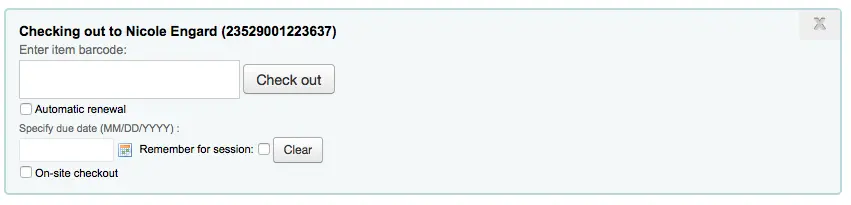
Esta preferência permite emprestar aos usuários exemplares classificados como ‘não emprestáveis’. Quando a preferência é definida como ‘Ativar’, uma caixa chamada ‘Empréstimo local’ é adicionada à tela de empréstimo. Isso permite acompanhar quem está usando exemplares que normalmente não são emprestáveis ou que fazem parte de uma coleção fechada.
OnSiteCheckoutsForce
Pergunta: ___ o empréstimo local em todos os casos (mesmo que o usuário esteja suspenso ou sujeito a restrições semelhantes).
Valores:
Desabilitar
Habilitar

Padrão: Desabilitar
Descrição:
Esta preferência permite que a equipe substitua qualquer restrição que um usuário possa ter e empreste exemplares para uso dentro da biblioteca. A preferência OnSiteCheckouts deve primeiro estar definida como ‘Ativar’ para que esta preferência seja considerada.
OPACFineNoRenewalsBlockAutoRenew
Pergunta: Se um usuário dever mais que o valor de OPACFineNoRenewals, ___ suas renovações automáticas.
Valores:
Permitir
bloquear
Padrão: Permitir
OverdueNoticeCalendar
Pergunta: ___ ao calcular o período dos avisos de atraso.
Padrão: Ignorar calendário
Valores:
Ignorar calendário
Os avisos não consideram feriados; portanto, serão enviados mesmo que os feriados façam com que o exemplar ainda não esteja realmente atrasado
Usar calendário
Os avisos consideram feriados; portanto, não serão enviados se os feriados fizerem com que o exemplar ainda não esteja realmente atrasado
OverdueNoticeFrom
Pergunta: Organizar e enviar avisos de atraso usando ___.
Padrão: opção da linha de comando
Valores:
opção da linha de comando
biblioteca de origem do exemplar
biblioteca de empréstimo
biblioteca de origem do usuário
Descrição:
Esta preferência do sistema determina quais informações da biblioteca serão usadas nos avisos de atraso (se houver informações no modelo de aviso, como <<branches.branchname>> ou <<branches.branchphone>>, ou, na nova sintaxe, [% branch.branchname %] ou [% branch.branchphone %]) e qual endereço de e-mail será usado para enviar os avisos.
Esta preferência do sistema substitui o parâmetro –frombranch na tarefa agendada overdue_notices.pl.
Quando definida como “opção da linha de comando”, as informações da biblioteca serão as do parâmetro –frombranch na tarefa agendada overdue_notices.pl ou as da biblioteca de empréstimo se o parâmetro estiver ausente.
Quando definida como “biblioteca de origem do exemplar”, serão usadas as informações da biblioteca de origem do exemplar atrasado.
Quando definida como “biblioteca de empréstimo”, serão usadas as informações da biblioteca em que o exemplar atrasado foi emprestado.
Quando definida como “biblioteca de origem do usuário”, serão usadas as informações da biblioteca de origem do usuário que receberá o aviso.
OverduesBlockCirc
Padrão: Solicitar confirmação
Pergunta: ___ ao emprestar para um usuário com atrasos pendentes.
Valores:
Solicitar confirmação
Não permitirá emprestar um exemplar a usuários com atrasos até que um bibliotecário confirme que isso é aceitável
Bloquear
Impedir que todos os usuários com exemplares atrasados realizem empréstimos
Não bloquear
Permitir que todos os usuários com exemplares atrasados continuem realizando empréstimos
OverduesBlockRenewing
Padrão: permitir renovação
Pergunta: Quando um exemplar emprestado a um usuário estiver atrasado, ___
Valores:
permitir renovação
bloquear a renovação de todos os exemplares do usuário
bloquear a renovação somente deste exemplar
PrintNoticesMaxLines
Pergunta: Incluir até ___ linhas de exemplares em um aviso de atraso impresso.
Nota
Se a quantidade de exemplares for maior que esse número, o aviso terminará com uma advertência solicitando ao usuário que consulte sua conta on-line para ver a lista completa de exemplares atrasados.
Nota
Defina como 0 para incluir todos os exemplares atrasados no aviso, independentemente da quantidade.
Importante
Esta preferência refere-se apenas a avisos impressos, não aos enviados por e-mail.
RecordStaffUserOnCheckout
Pergunta: Ao emprestar um exemplar, ___ o usuário da equipe que realizou o empréstimo.
Padrão: não registrar
Valores:
não registrar
registrar
Descrição:
Esta preferência do sistema determina se a conta do membro da equipe que empresta um exemplar a um usuário será registrada junto ao empréstimo.
Quando definida como ‘registrar’, a conta da equipe será exibida na interface administrativa no histórico de circulação do usuário e no histórico de empréstimos do registro.
RenewAccruingItemInOpac
Pergunta: Se um usuário quitar, pelo OPAC e por meio de um plugin de pagamento, todas as multas de um exemplar atrasado que está acumulando multas, ___ o exemplar automaticamente.
Padrão: Não renovar
Valores:
Não renovar
Renovar
Descrição:
Esta preferência do sistema permite controlar se os exemplares atrasados serão ou não renovados quando o usuário pagar a multa on-line.
Nota
Se a preferência do sistema RenewalPeriodBase estiver definida como ‘data de devolução’, os exemplares renovados ainda poderão estar atrasados mesmo após a renovação.
RenewAccruingItemWhenPaid
Pergunta: Se um usuário quitar todas as multas de um exemplar atrasado que está acumulando multas, ___ o exemplar automaticamente.
Valores:
não renovar
renovar
Padrão: não renovar
Descrição:
Esta preferência do sistema permite controlar se os exemplares atrasados serão renovados automaticamente quando o usuário pagar as multas desses exemplares.
Se a preferência do sistema RenewalPeriodBase estiver definida como ‘data de devolução’, os exemplares renovados ainda poderão estar atrasados mesmo após a renovação.
RenewalPeriodBase
Atenção
As of version 26.05 of Koha, this system preference has been split into AutomaticRenewalPeriodBase and ManualRenewalPeriodBase.
Pergunta: Ao renovar empréstimos, basear a nova data de devolução em ___
Valores:
a data de devolução anterior do empréstimo
a data atual
Padrão: a data de devolução anterior do empréstimo
RenewalSendNotice
Padrão: Não enviar
Pergunta: ____ enviar um aviso de renovação de acordo com as preferências de mensagens do usuário para ‘Empréstimo de exemplar’.
Valores:
Não enviar
Enviar
Descrição:
Se um usuário tiver optado por receber um aviso de empréstimo em suas preferências de mensagens e esta preferência estiver definida como ‘Enviar’, ele também receberá um aviso ao renovar materiais. Você deverá configurar um novo aviso com o código RENEWAL (se ainda não existir), contendo um texto personalizado para a renovação de exemplares.
Importante
Esta preferência requer que EnhancedMessagingPreferences esteja definida como ‘Permitir’
RentalFeesCheckoutConfirmation
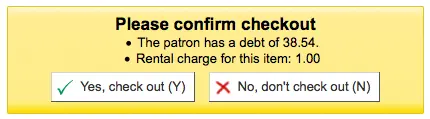
Pergunta: Ao emprestar um exemplar com taxas de aluguel, ___ confirmação.
Valores:
solicitar
não solicitar
Padrão: não solicitar
Descrição:
Se você cobra taxas de aluguel por exemplares, esta preferência permite exibir (ou não) uma confirmação antes de emprestar um exemplar que gerará uma taxa de aluguel.
ReturnBeforeExpiry
Pergunta: ___ que os usuários devolvam os exemplares antes que suas contas expirem (restringindo as datas de devolução para antes da data de expiração do usuário).
Valores:
não exigir
Exigir
Padrão: não exigir
Descrição:
Esta preferência do sistema pode impedir que um usuário mantenha exemplares emprestados após a expiração de sua carteira da biblioteca. Se estiver definida como “Exigir”, a data de devolução de qualquer exemplar emprestado não poderá ser posterior à data de expiração da carteira do usuário. Se a configuração for mantida como “Não exigir”, as datas dos empréstimos poderão ultrapassar a data de expiração da carteira da biblioteca do usuário.
StaffSearchResultsDisplayBranch
Pergunta: Nos resultados da pesquisa na interface administrativa, exibir ___
Valores:
a biblioteca de origem do exemplar
a biblioteca que mantém o exemplar
Padrão: a biblioteca que mantém o exemplar
SwitchOnSiteCheckouts
Padrão: Não converter
Pergunta: ___ empréstimos locais em empréstimos normais quando forem realizados.
Valores:
Não converter
Converter
TransfersMaxDaysWarning
Pergunta: Exibir um aviso na tela “Transferências a receber” se a transferência não tiver sido recebida ___ dias após o envio.
Padrão: 3
Descrição:
Esta preferência do sistema permite exibir um aviso após determinado período caso um exemplar que esteja sendo transferido entre unidades da biblioteca não tenha sido recebido. O aviso aparecerá no relatório Transferências a receber.
UnseenRenewals
Pergunta: ___ que as renovações sejam registradas como “não vistas” pela biblioteca e contem para o limite de renovações não vistas do usuário.
Padrão: Não permitir
Valores:
Não permitir
Permitir
Descrição:
Esta preferência do sistema ativa a funcionalidade de renovações não vistas. Ela permite que a equipe marque renovações como “não vistas”, isto é, a equipe não viu o exemplar de fato.
Se você ativar esta preferência, certifique-se de adicionar um valor na coluna ‘Renovações não vistas permitidas (quantidade)’ das regras de circulação e multas.
UpdateItemLocationOnCheckout
Pergunta: Esta é uma lista de pares de valores. O primeiro valor é seguido imediatamente por dois-pontos, espaço e, em seguida, pelo segundo valor.
Descrição:
Esta preferência do sistema afeta as localizações atual e permanente do exemplar quando ele é emprestado.
Se o valor de localização à esquerda dos dois-pontos (:) corresponder à localização atual do exemplar, ele será atualizado para corresponder ao valor de localização à direita dos dois-pontos (:).
Os valores são os valores autorizados LOC.
Por exemplo,
STAFF: GENmoverá um exemplar do escritório da equipe para a coleção geral quando ele for emprestado.Termos especiais
PROC: Centro de processamento. Ao usar PROC, somente a localização atual será afetada.CART: Carrinho de reposição. Ao usar CART, somente a localização atual será afetada._PERM_: Usará a localização permanente do exemplar, qualquer que seja ela._BLANK_: Usado à esquerda como primeiro valor, adicionará uma localização se não houver nenhuma. Usado à direita como segundo valor, removerá a localização._ALL_: Usado à esquerda como primeiro valor, afetará todos os exemplares e substituirá todas as outras regras.
Aviso
Requer sintaxe YAML para funcionar
Isso significa
Certifique-se de que NÃO haja espaço entre o primeiro valor e os dois-pontos
Certifique-se de que HAJA um espaço entre os dois-pontos e o segundo valor
Certifique-se de que cada par está em sua própria linha
Se usar PROC ou CART, execute a tarefa agendada cart_to_shelf para devolver os exemplares à localização permanente após um número determinado de horas.
UpdateNotForLoanStatusOnCheckout
Pergunta: Esta é uma lista de pares de valores. Quando um exemplar for emprestado, se o valor de não emprestável corresponder ao valor à esquerda, o valor de não emprestável do exemplar será atualizado para o valor à direita.
Descrição:
Esta preferência do sistema afeta o estado ‘não emprestável’ do exemplar quando ele é emprestado.
Se o valor de estado à esquerda dos dois-pontos (:) corresponder ao estado atual do exemplar, ele será atualizado para corresponder ao valor de estado à direita dos dois-pontos (:).
Os valores são os valores autorizados NOT_LOAN.
Por exemplo, ‘-1: 0’ fará com que um exemplar definido como ‘Encomendado’ passe a estar disponível para empréstimo
Esta preferência do sistema também pode ser usada apenas para exibir o estado de não emprestável. Para isso, insira
ONLYMESSAGEà direita dos dois-pontos. Por exemplo:
-1: ONLYMESSAGE

This will simply show the label for -1 without changing the status.
Aviso
Requer sintaxe YAML para funcionar
Isso significa
Certifique-se de que NÃO haja espaço entre o primeiro valor e os dois-pontos
Certifique-se de que HAJA um espaço entre os dois-pontos e o segundo valor
Certifique-se de que cada par está em sua própria linha
UseBranchTransferLimits e BranchTransferLimitsType
Padrões: Não aplicar e código da coleção
Pergunta: ___ limites de transferência entre unidades com base em ___
Valores de UseBranchTransferLimits:
Não aplicar
Exigir
Valores de BranchTransferLimitsType:
código da coleção
tipo de material
Descrição de BranchTransferLimitsType:
Este parâmetro é uma configuração binária que determina se os exemplares são transferidos de acordo com o tipo de material ou o código da coleção. Este valor determina como o gerente da biblioteca pode restringir quais exemplares podem ser transferidos entre as unidades.
useDaysMode
Pergunta: ___ ao calcular a data de devolução.
Padrão: Usar o calendário para ignorar os dias em que a biblioteca está fechada
Valores:
Usar o calendário para ignorar os dias em que a biblioteca está fechada
Usar o calendário para transferir a data de devolução para o próximo dia aberto
Ignorar o calendário
Usar o calendário para transferir a data de devolução para o próximo dia da semana correspondente em que a biblioteca estiver aberta, para períodos de empréstimo semanais, ou para o próximo dia aberto nos demais casos (Observação: esta configuração de preferência funciona apenas com períodos de empréstimo múltiplos de 7).
Descrição:
Esta preferência controla como os fechamentos programados da biblioteca afetam a data de devolução de um material.
A configuração ‘Usar o calendário para ignorar todos os dias em que a biblioteca está fechada’ permite que um fechamento programado não conte como dia do período de empréstimo.
A configuração ‘Ignorar o calendário’ não considera o fechamento programado
A configuração ‘Usar o calendário para transferir a data de devolução para o próximo dia aberto’ afetará a data de devolução somente se ela cair especificamente no dia do fechamento.
A opção final, ‘Usar o calendário para transferir a data de devolução para o próximo dia da semana correspondente em que a biblioteca estiver aberta, para períodos de empréstimo semanais, ou para o próximo dia aberto nos demais casos’, permite que as bibliotecas atendam usuários que só podem visitá-la em determinado dia da semana, como estudantes de meio período ou usuários que dependem de transporte público.
Exemplo:
A biblioteca registrou os dias 24 e 25 de dezembro como fechamentos no calendário. Um livro retirado por um usuário tem data de devolução em 25 de dezembro, de acordo com as regras de circulação e multas.
Se esta preferência estiver definida como ‘Ignorar o calendário’, o exemplar continuará com devolução prevista para o dia 25.
Se a preferência estiver definida como ‘Usar o calendário para transferir a data de devolução para o próximo dia aberto’, a data de devolução será 26 de dezembro.
Se a preferência estiver definida como ‘Usar o calendário para ignorar todos os dias em que a biblioteca está fechada’, a data de devolução será transferida para 27 de dezembro, considerando os dois dias de fechamento.
Se a preferência estiver definida como ‘Usar o calendário para transferir a data de devolução para o próximo dia da semana correspondente em que a biblioteca estiver aberta, para períodos de empréstimo semanais, ou para o próximo dia aberto nos demais casos’, a devolução do exemplar seria prevista para 1º de janeiro. Se 1º de janeiro também fosse um dia de fechamento, a devolução seria prevista para o próximo dia disponível em que a biblioteca estivesse aberta.
O calendário é definido individualmente para cada unidade. Para saber mais sobre o calendário, consulte a seção Calendário deste manual.
UseTransportCostMatrix
Pergunta: ___ a matriz de custos de transporte para calcular o melhor atendimento de reservas entre bibliotecas.
Valores:
Não utilizar
Utilizar
Padrão: Não utilizar
Descrição:
Se o sistema estiver configurado para usar a Matriz de custos de transporte no atendimento de reservas, ao tentar atender uma reserva, ele procurará a biblioteca de menor custo e tentará primeiro atendê-la com um exemplar dessa biblioteca. Bibliotecas com custos iguais serão selecionadas aleatoriamente. A biblioteca ou as bibliotecas com o próximo custo mais alto só serão selecionadas se todas as bibliotecas do grupo anterior não puderem atender à reserva.
O sistema usará a biblioteca atual do exemplar ao determinar se ele pode atender a uma reserva por meio da matriz de custos de transporte.
Reservas de curso
UseCourseReserves
Padrão: Não utilizar
Pergunta: ___ reservas de disciplinas
Valores:
Não utilizar
Utilizar
Descrição:
O módulo de reservas de disciplinas do Koha permite mover temporariamente exemplares para ‘reserva’ e atribuir regras de circulação diferentes enquanto eles estiverem sendo usados em uma disciplina específica.
Módulo de retirada externa
CurbsidePickup
Pergunta: ___ o módulo de retirada externa.
Valores:
Desabilitar
Habilitar
Padrão: Desabilitar
Descrição:
Esta preferência do sistema é o controle principal do módulo de retirada externa.
Política de multas
finesCalendar
Pergunta: ___ ao calcular o período das multas.
Padrão: Usar o calendário
Valores:
Ignorar o calendário
Usar o calendário
Descrição:
Esta preferência determinará se multas serão ou não acumuladas nos dias em que a biblioteca estiver fechada. Exemplos incluem feriados, dias de treinamento interno da biblioteca etc.
Se definida como ‘Usar o calendário’, o Koha ignorará os dias de fechamento ao calcular as multas por atraso.
Se definida como ‘Ignorar o calendário’, as multas serão calculadas diretamente, sem considerar os dias de fechamento.
Importante
Para usar esta configuração, o administrador do sistema deve primeiro acessar o calendário do Koha e marcar antecipadamente os dias de fechamento como ‘feriados’.
O calendário é definido individualmente para cada unidade. Para saber mais sobre ele, consulte a seção calendário deste manual.
FinesIncludeGracePeriod
Padrão: Incluir
Pergunta: ___ o período de tolerância ao calcular a multa de um exemplar atrasado.
Valores:
Não incluir
Incluir
Descrição:
Esta preferência permite controlar como o Koha calcula as multas quando há um período de tolerância. Se você optar por incluir o período de tolerância no cálculo, o Koha cobrará pelos dias desse período caso o atraso do exemplar ultrapasse esses dias. Se optar por não incluí-lo, o Koha cobrará apenas pelos dias de atraso posteriores ao período de tolerância.
finesMode
Pergunta: ___ multas
Padrão: Não calcular
Valores:
Não calcular
Calcular e cobrar
Importante
Se esta preferência do sistema estiver definida como ‘Calcular e cobrar’, você deverá adicionar a tarefa agendada de multas ao crontab ou ativar CalculateFinesOnReturn
Se a tarefa agendada cronjobs/fines.pl estiver em execução, as multas acumuladas e finais serão calculadas quando a tarefa for executada, e as multas acumuladas serão finalizadas quando o exemplar for devolvido. Se CalculateFinesOnReturn estiver ativada, as multas finais serão calculadas quando o exemplar for devolvido.
HoldFeeMode
Pergunta: Cobrar uma taxa de reserva ___
Valores:
sempre que uma reserva for retirada.
sempre que uma reserva for feita.
somente se todos os exemplares estiverem emprestados e o registro já tiver pelo menos uma reserva.
Padrão: somente se todos os exemplares estiverem emprestados e o registro já tiver pelo menos uma reserva.
Descrição:
Se você definiu um valor na coluna de taxa de reserva das regras de circulação e multas, será cobrada dos usuários uma taxa ao fazer reservas. Esta preferência do sistema controla em que momento a taxa é adicionada aos débitos do usuário.
LostChargesControl
Versão
Este recurso foi introduzido pela primeira vez na versão 26.05 do Koha.
Pergunta: Usar as regras de cobrança por perda de ___.
Valores:
a biblioteca de origem do exemplar
a biblioteca de origem do usuário
a biblioteca em que você está conectado
Padrão: a biblioteca em que você está conectado
Descrição:
Esta preferência do sistema determina quais regras de circulação da biblioteca serão usadas para cobrar taxas por perda quando um exemplar for marcado como perdido.
NoRefundOnLostFinesPaidAge
Versão
Este recurso foi introduzido na versão 24.11 do Koha.
Pergunta: Não reembolsar taxas por perda se a taxa tiver sido paga integralmente ou se o saldo da taxa tiver sido pago há mais de ___ dias.
Padrão: Manter
Descrição:
Esta preferência do sistema permite definir por quanto tempo uma taxa por perda será reembolsada após ter sido paga, integral ou parcialmente. Isso é útil para bibliotecas que desejam reembolsar taxas pagas recentemente, mas não taxas pagas há muito tempo.
Nota
Os reembolsos de taxas por perda são controlados pela política padrão de reembolso da taxa de exemplar perdido na devolução nas regras de circulação e multas.
Insira um número para começar a usar esta preferência do sistema.
Se a preferência estiver vazia, as taxas por perda serão reembolsadas de acordo com a política padrão de reembolso da taxa de exemplar perdido na devolução, independentemente da antiguidade do pagamento.
Ver também:
NoRefundOnLostReturnedItemsAge
Pergunta: Não reembolsar taxas por perda se um exemplar perdido for devolvido mais de ___ dias após ter sido marcado como perdido.
Descrição:
Esta preferência do sistema permite definir por quanto tempo uma taxa por perda será reembolsada quando o exemplar perdido for devolvido. Isso é útil para bibliotecas que desejam reembolsar taxas por exemplares perdidos recentemente, mas não por exemplares marcados como perdidos há muito tempo.
Nota
Os reembolsos de taxas por perda são controlados pela política padrão de reembolso da taxa de exemplar perdido na devolução nas regras de circulação e multas.
Insira um número para começar a usar esta preferência do sistema.
Se a preferência estiver vazia, as taxas por perda serão reembolsadas de acordo com a política padrão de reembolso da taxa de exemplar perdido na devolução, independentemente de há quanto tempo o exemplar foi marcado como perdido.
Ver também:
ProcessingFeeNote
Pergunta: Definir o texto a ser registrado na coluna ‘note’ da tabela ‘accountlines’ quando a taxa de processamento (definida no tipo de material) for aplicada.
RefundLostOnReturnControl
Pergunta: Se um exemplar perdido for devolvido, aplicar as regras de reembolso definidas na ___
Padrão: biblioteca de devolução.
Valores:
biblioteca de devolução.
biblioteca atual do exemplar.
biblioteca de origem do exemplar.
Descrição:
Isto se refere à regra política padrão de reembolso da taxa de exemplar perdido na devolução nas regras de circulação e multas.
Nota
Você pode limitar o número de dias após os quais um exemplar perdido não será reembolsado usando a preferência do sistema NoRefundOnLostReturnedItemsAge.
SuspensionsCalendar
Padrão: sem incluir os dias em que a biblioteca está fechada
Pergunta: Calcular a expiração da suspensão com base nos dias de atraso ___
Valores:
Ignorar o calendário
Usar o calendário
Descrição:
Esta preferência do sistema determina se o calendário será considerado nos cálculos de suspensão. As regras de suspensão podem ser configuradas nas regras de circulação. Se definida como ‘diretamente’, o período de suspensão ignorará todos os dias de fechamento adicionados ao calendário. Se definida como ‘sem incluir os dias em que a biblioteca está fechada’, os dias marcados como fechados no calendário serão ignorados no cálculo da data final da suspensão.
TitleHoldFeeStrategy
Versão
Esta preferência do sistema foi introduzida pela primeira vez na versão 26.05 do Koha.
Pergunta: Quando uma reserva no nível do título for feita e diferentes exemplares puderem resultar em taxas de reserva diferentes, escolher o nível de taxa a aplicar como ___
Valores:
a maior taxa aplicável entre os exemplares
a menor taxa aplicável entre os exemplares
a taxa mais comum entre os exemplares
Padrão: a maior taxa aplicável entre os exemplares
Descrição:
Esta preferência do sistema é relevante se sua biblioteca tiver taxas de reserva definidas nas regras de circulação e multas.
Quando há vários exemplares reserváveis de mais de um tipo de material em um registro bibliográfico e a reserva é feita no nível do título, mais de uma regra de circulação pode ser aplicada. Em alguns casos, isso significa que diferentes valores de taxa de reserva podem ser aplicados. Esta preferência do sistema permite decidir qual valor de taxa de reserva deve ser usado.
Se ainda assim não for possível determinar uma estratégia (por exemplo, se houver empate na taxa mais comum entre os exemplares), será usada a maior taxa aplicável.
Nota
Ao usar taxas de reserva, você também deve considerar a preferência do sistema HoldFeeMode.
useDefaultReplacementCost
Padrão: Não utilizar
Pergunta: ___ o custo de reposição padrão definido no tipo de material.
Valores:
Não utilizar
Utilizar
Descrição:
Esta preferência ativa o uso do custo de reposição definido no nível do tipo de material
WhenLostChargeReplacementFee
Padrão: Cobrar
Pergunta: ___ o preço de reposição quando um usuário perder um exemplar.
Valores:
Cobrar
Não cobrar
Descrição:
Esta preferência permite indicar ao Koha o que fazer quando um exemplar é marcado como perdido. Se desejar, o Koha pode ‘Cobrar’ do usuário a taxa de reposição indicada no exemplar perdido ou não fazer nada em relação ao usuário e apenas marcar o exemplar como perdido no catálogo.
WhenLostForgiveFine
Padrão: Não perdoar
Pergunta: ___ as multas de um exemplar quando ele for perdido.
Valores:
Não perdoar
Perdoar
Descrição:
Esta preferência permite que a biblioteca decida se multas serão cobradas além da taxa de reposição quando um exemplar for marcado como perdido. Se estiver definida como ‘Perdoar’, o usuário não receberá cobranças de multas além da taxa de reposição.
Política de reservas
AllowHoldDateInFuture
Padrão: Permitir
Pergunta: ___ que sejam feitas solicitações de reserva que só entrarão na lista de espera em determinada data futura.
Valores:
Permitir
Não permitir
AllowHoldItemTypeSelection
Pergunta: ___ que o atendimento da reserva seja limitado pelo tipo de material.
Padrão: Não permitir
Valores:
Permitir
Não permitir
Descrição:
Se esta preferência do sistema estiver definida como ‘Permitir’, a equipe e os usuários poderão escolher um tipo de material específico ao fazer uma reserva na interface administrativa ou fazer uma reserva no OPAC.
AllowHoldPolicyOverride
Padrão: Permitir
Pergunta: ___ que a equipe substitua as políticas de reserva ao fazer reservas.
Valores:
Permitir
Não permitir
Descrição:
Esta preferência é uma configuração binária que controla se a equipe da biblioteca pode ou não substituir as regras de circulação e multas relacionadas à realização de reservas. Definir este valor como “Não permitir” impedirá qualquer substituição; defini-lo como “Permitir” autorizará a substituição. Esta configuração é importante porque determina o rigor das regras da biblioteca para reservas. Se estiver definida como “Permitir”, poderão ser feitas exceções para usuários que normalmente estejam em situação regular com a biblioteca, mas haverá possibilidade de uso indevido da função pela equipe. Se estiver definida como “Não permitir”, não haverá possibilidade de uso indevido, mas o sistema ficará totalmente inflexível em relação às reservas.
AllowHoldsOnDamagedItems
Padrão: Permitir
Pergunta: ___ que sejam feitas solicitações de reserva de exemplares danificados.
Valores:
Permitir
Não permitir
Descrição:
Este parâmetro é uma configuração binária que controla se podem ou não ser feitas solicitações de reserva de exemplares marcados como “danificados” (os exemplares são marcados como danificados pela edição do subcampo 4 do registro de exemplar). Definir o valor como “Não permitir” impedirá que qualquer pessoa faça uma reserva desses exemplares; defini-lo como “Permitir” autorizará a reserva. Esta preferência é importante porque determina se um usuário pode solicitar um exemplar que talvez esteja em reparo ou em más condições. A biblioteca pode optar por “Não permitir” se estiver preocupada que os usuários não recebam o exemplar em tempo hábil ou não o recebam (caso se determine que não há possibilidade de reparo). Defini-la como “Permitir” possibilitará ao usuário reservar o exemplar e recebê-lo assim que estiver disponível.
AllowHoldsOnPatronsPossessions
Padrão: Permitir
Pergunta: ____ que um usuário faça uma reserva de um registro quando já tiver um ou mais exemplares vinculados a esse registro emprestados.
Valores:
Permitir
Não permitir
Descrição:
Ao definir como “Não permitir”, você pode impedir que os usuários reservem exemplares que já retiraram, evitando que impeçam outras pessoas de obter um exemplar.
AllowRenewalIfOtherItemsAvailable
Padrão: Não permitir
Pergunta: ___ que um usuário renove um exemplar com reservas não atendidas se outros exemplares disponíveis puderem atender a essas reservas.
Valores:
Permitir
Não permitir
AutomaticCheckinAutoFill
Pergunta: ___ que as reservas sejam atendidas automaticamente após a devolução automática dos exemplares.
Padrão: Não permitir
Valores:
Permitir
Não permitir
Descrição:
Esta preferência do sistema é usada quando a devolução automática está ativada.
Na devolução, a próxima reserva será atendida automaticamente e uma notificação será enviada ao usuário informando que sua reserva está aguardando.
Esta preferência do sistema requer a tarefa agendada automatic_checkin.pl.
AutoResumeSuspendedHolds
Padrão: Permitir
Pergunta: ___ que reservas suspensas sejam retomadas automaticamente em uma data definida.
Valores:
Permitir
Não permitir
Descrição:
Se esta preferência estiver definida como ‘Permitir’, todas as reservas suspensas poderão ter uma data após a qual serão retomadas automaticamente. Se ela estiver definida como ‘Permitir’, você também precisará manter em execução a tarefa agendada Retomar reservas.
Importante
As reservas serão retomadas no dia posterior ao informado pelo usuário.
CanMarkHoldsToPullAsLost
Pergunta: ___ na tela ‘Reservas a retirar’
Padrão: Não permitir marcar exemplares como perdidos
Valores:
Permitir marcar exemplares como perdidos
Permitir marcar exemplares como perdidos e notificar o usuário
Não permitir marcar exemplares como perdidos
Descrição:
Esta preferência do sistema permite escolher se a equipe pode marcar exemplares como perdidos diretamente na lista ‘Reservas a retirar’ caso não encontre o exemplar na estante.
O valor de perdido que será atribuído ao exemplar é definido na preferência do sistema UpdateItemWhenLostFromHoldList.
Se o usuário for notificado, a mensagem enviada será baseada no modelo CANCEL_HOLD_ON_LOST. Ela pode ser personalizada na ferramenta Avisos e comprovantes.
Aviso
Isto se aplica apenas a reservas no nível do exemplar.
canreservefromotherbranches
Padrão: Permitir
Pergunta: ___ que um usuário de uma biblioteca reserve um exemplar de outra biblioteca
Descrição:
Esta preferência é uma configuração binária que determina se os usuários podem reservar exemplares de outras unidades. Se estiver definida como “Permitir”, os usuários poderão fazer essas reservas; se estiver definida como “Não permitir”, não poderão. Esta configuração é importante porque determina se os usuários podem utilizar o Koha para solicitar exemplares de outra unidade. Se a biblioteca compartilhar uma instalação do Koha com outras bibliotecas independentes que não desejam permitir empréstimos entre bibliotecas, recomenda-se definir este parâmetro como “Não permitir”.
Valores:
Permitir
Não permitir (com IndependentBranches)
ConfirmFutureHolds
Padrão: 0
Pergunta: Confirmar, no momento da devolução, solicitações futuras de reserva (com início em até ___ dias a partir de agora).
Descrição:
Ao confirmar uma reserva no momento da devolução, o número de dias desta preferência será considerado ao decidir para quais reservas exibir alertas. Esta preferência não interfere na renovação, no empréstimo nem na transferência de um livro.
Nota
Este número de dias também será usado no cálculo da data final padrão do relatório Reservas a retirar. No entanto, não interfere no empréstimo, na renovação nem na transferência de livros.
Importante
Esta preferência só é considerada se você permitir datas de reserva futuras com AllowHoldDateInFuture ou OPACAllowHoldDateInFuture
decreaseLoanHighHolds, decreaseLoanHighHoldsDuration, decreaseLoanHighHoldsValue, decreaseLoanHighHoldsControl e decreaseLoanHighHoldsIgnoreStatuses
Pergunta: ___ a redução do período de empréstimo ___ para dias, para exemplares com alta demanda que tenham mais de ___ reservas ___ . Ignorar exemplares com os seguintes estados ao contar os exemplares ___
Padrão de decreaseLoanHighHolds: Não ativar
Padrão de decreaseLoanHighHoldsControl: no registro
Valores:
decreaseLoanHighHolds
Não habilitar
Habilitar
decreaseLoanHighHoldsControl
em relação ao número de exemplares reserváveis nos registros
no registro
decreaseLoanHighHoldsIgnoreStatuses
[Selecionar tudo]
Danificado
Perdido
Não emprestável
Retirado de circulação
Descrição:
Estas preferências permitem alterar a duração do empréstimo de exemplares com muitas reservas. Isso não afetará os exemplares que já estão emprestados, mas os exemplares retirados depois que decreaseLoanHighHoldsValue for atingido serão emprestados apenas pelo número de dias inserido na preferência decreaseLoanHighHoldsDuration.
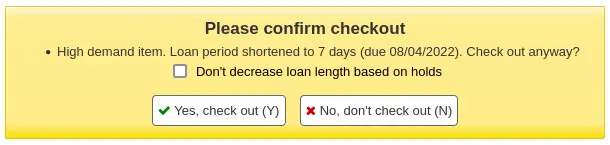
DefaultHoldExpirationdate, DefaultHoldExpirationdatePeriod e DefaultHoldExpirationdateUnitOfTime
Pergunta: ___ automaticamente uma data padrão de expiração das reservas. Se ativada, definir a data de expiração ___ ___ a partir da data da reserva.
Valores:
DefaultHoldExpirationdate
Não definir
Definir
DefaultHoldExpirationdateUnitOfTime
days
meses
anos
Padrão de DefaultHoldExpirationdate: Não definir
Padrão de DefaultHoldExpirationdatePeriod: 0
Padrão de DefaultHoldExpirationdateUnitOfTime: dias
Descrição:
Estas preferências do sistema permitem definir uma data padrão de expiração da reserva caso os usuários não escolham sua própria data de expiração ao fazer uma reserva.
Nota
Se DefaultHoldExpirationdatePeriod for deixada em branco, nenhuma data padrão de expiração será definida.
DefaultHoldPickupLocation
Pergunta: Ao fazer uma reserva pela interface administrativa, usar como local padrão de retirada a ___ .
Valores:
biblioteca de guarda do item
biblioteca de origem do item
biblioteca em que você está conectado
Padrão: biblioteca em que você está conectado
Descrição:
Esta preferência do sistema permite determinar qual biblioteca será o local padrão de retirada ao fazer reservas na interface administrativa.
Aviso
Esta preferência do sistema aplica-se apenas a reservas no nível do exemplar.
DisplayMultiItemHolds
Versão
Esta preferência do sistema foi adicionada ao Koha na versão 24.05.
Pergunta: ___ a possibilidade de fazer reservas de diferentes exemplares ao mesmo tempo na interface administrativa e no OPAC.
Valores:
Não habilitar
Habilitar
Padrão: Não habilitar
Descrição:
Esta preferência do sistema é usada para ativar a possibilidade de fazer várias reservas no nível do exemplar em um registro.
Se ativada, a equipe e os usuários poderão selecionar vários exemplares na seção ‘Reservar um exemplar específico’.
Esta preferência do sistema aplica-se tanto à interface administrativa quanto ao OPAC.
Para que este recurso funcione, as regras de circulação devem permitir várias reservas por registro.
DisplayMultiPlaceHold
Padrão: Não habilitar
Pergunta: ___ a possibilidade de fazer reservas de vários registros bibliográficos a partir dos resultados da pesquisa
Valores:
Não habilitar
Habilitar
emailLibrarianWhenHoldIsPlaced
Padrão: Não habilitar
Pergunta: ___ o envio de um e-mail ao endereço do administrador do Koha sempre que uma solicitação de reserva for feita.
Valores:
Não habilitar
Habilitar
Descrição:
Esta preferência permite que o Koha envie um e-mail à equipe da biblioteca sempre que um usuário solicitar a reserva de um exemplar. Embora esta função alerte imediatamente o bibliotecário sobre a necessidade do usuário, ela é extremamente impraticável na maioria das bibliotecas. Na maioria delas, as listas de reservas são monitoradas e mantidas em uma interface separada. Ainda assim, muitas bibliotecas que permitem reservas de exemplares disponíveis na estante preferem ativar esta preferência para serem alertadas de que devem retirar um exemplar da estante.
Importante
Para que este e-mail seja enviado, você deve ter um modelo de aviso com o código HOLDPLACED
Importante
Este aviso só será enviado se a tarefa agendada process_message_queue.pl for executada periodicamente para enviar as mensagens.
EmailPatronWhenHoldIsPlaced
Pergunta: ___ um usuário quando ele fizer uma reserva.
Padrão: Não enviar e-mail
Valores:
Não enviar e-mail
Enviar e-mail
Descrição:
Esta preferência do sistema determina se um e-mail será enviado ao usuário depois que ele fizer uma reserva.
O aviso enviado é baseado no modelo HOLDPLACED_PATRON, que pode ser personalizado na ferramenta Avisos e comprovantes.
EnableItemGroupHolds
Pergunta: ___ a possibilidade de fazer reservas de grupos de exemplares.
Valores:
Não habilitar
Habilitar
Padrão: Não habilitar
Descrição:
Esta preferência do sistema permite que os usuários façam reservas de grupos de exemplares.
Isso é útil quando é necessário reservar um subconjunto dos exemplares de um registro bibliográfico, em vez de um exemplar específico ou do próximo exemplar disponível.
Requer EnableItemGroups
ExcludeHolidaysFromMaxPickUpDelay
Pergunta: ___ ao calcular o período máximo para retirada de uma reserva.
Padrão: Ignorar o calendário
Valores:
Ignorar o calendário
Usar o calendário
Descrição:
Esta preferência do sistema determina se os dias de fechamento no calendário serão ou não considerados ao calcular o período que os usuários têm para retirar suas reservas (consulte ReservesMaxPickUpDelay).
Se definida como ‘Ignorar o calendário’, o prazo para retirada será calculado diretamente.
Se definida como ‘Usar o calendário’, os feriados serão excluídos do prazo para retirada.
ExpireReservesMaxPickUpDelay
Padrão: Não permitir
Pergunta: ___ que as reservas expirem automaticamente se não forem retiradas dentro do período especificado em ReservesMaxPickUpDelay
Valores:
Permitir
Não permitir
Descrição:
Se definida como ‘permitir’, esta preferência cancelará as reservas que estiverem aguardando por mais tempo que o número de dias especificado na preferência do sistema ReservesMaxPickUpDelay. As reservas só serão canceladas se a tarefa agendada Expirar reservas estiver em execução.
ExpireReservesAutoFill
Pergunta: ___ atender automaticamente à próxima reserva usando o exemplar.
Padrão: Não fazer
Valores:
Não fazer
Fazer
Descrição:
Se ExpireReservesMaxPickUpDelay estiver definida como ‘Permitir’, você poderá optar por atender automaticamente à próxima reserva quando uma reserva for cancelada.
Se esta preferência do sistema estiver definida como “Não”, a reserva expirada será cancelada, mas o exemplar não será usado para atender à próxima reserva, caso exista. A equipe deverá devolver manualmente o exemplar para acionar a próxima reserva.
Se esta preferência do sistema estiver definida como “Sim”, o exemplar será usado para atender à próxima reserva, caso exista, sem intervenção manual da equipe.
Se o próximo usuário tiver optado por receber avisos de ‘Reserva atendida’, uma notificação será enviada informando que ele já pode retirar a reserva.
Nota
O aviso enviado é baseado no modelo HOLD, que pode ser personalizado na ferramenta Avisos e comprovantes.
Uma notificação também será enviada ao endereço de e-mail em ExpireReservesAutoFillEmail para alertar a equipe de que a reserva agora está aguardando outra pessoa.
Nota
O aviso enviado é baseado no modelo HOLD_CHANGED, que pode ser personalizado na ferramenta Avisos e comprovantes.
Aviso
Esta preferência do sistema não terá efeito a menos que ExpireReservesMaxPickUpDelay esteja definida como ‘Permitir’.
ExpireReservesAutoFillEmail
Pergunta: Enviar a notificação por e-mail da nova reserva atendida com um exemplar de uma reserva cancelada para ___.
Descrição:
Se ExpireReservesMaxPickUpDelay estiver definida como ‘Permitir’ e ExpireReservesAutoFill como ‘Sim’, um e-mail será enviado para alertar a equipe de que a reserva agora está aguardando outra pessoa.
Nota
O aviso enviado é baseado no modelo HOLD_CHANGED, que pode ser personalizado na ferramenta Avisos e comprovantes.
Se esta preferência do sistema estiver vazia, a notificação será enviada ao endereço de resposta da biblioteca.
Aviso
Esta preferência do sistema não terá efeito a menos que ExpireReservesAutoFill esteja definida como ‘Sim’.
ExpireReservesMaxPickUpDelayCharge
Padrão: 0
Pergunta: Se estiver usando ExpireReservesMaxPickUpDelay, cobrar do usuário que deixar sua reserva aguardando expirar uma taxa de ___ USD
Descrição:
Se você estiver expirando reservas que aguardam há muito tempo, poderá usar esta preferência para cobrar do usuário por não retirar a reserva. Se não cobrar dos usuários pelos exemplares não retirados, mantenha o valor padrão, que é 0. As reservas só serão canceladas e cobradas se a tarefa agendada Expirar reservas estiver em execução.
Nota
Isso também pode ser definido de forma mais detalhada nas regras de circulação, em ‘Taxa de reserva expirada’.
ExpireReservesOnHolidays
Padrão: Permitir
Pergunta: Se estiver usando ExpireReservesMaxPickUpDelay, ___ que reservas expiradas sejam canceladas nos dias em que a biblioteca estiver fechada segundo o calendário.
Valores:
Permitir
Não permitir
HoldCancellationRequestSIP
Versão
Esta preferência do sistema foi adicionada ao Koha na versão 25.05.
Pergunta: ___ definir as reservas canceladas via SIP como solicitações de cancelamento.
Valores:
Não fazer
Fazer
Padrão: Não
Descrição:
Esta preferência do sistema controla se as reservas canceladas via SIP serão canceladas diretamente ou enviadas ao ‘Relatório de reservas com solicitações de cancelamento’.
HoldRatioDefault
Versão
Esta preferência do sistema foi adicionada ao Koha na versão 24.05.
Pergunta: Definir como padrão do relatório de proporção de reservas ___.
Padrão: 3
Descrição:
Esta preferência do sistema determina o valor padrão do relatório de proporções de reservas.
HoldsQueuePrioritizeBranch
Pergunta: A fila de reservas deve priorizar o atendimento de uma reserva fazendo a correspondência entre a biblioteca de origem do usuário e um exemplar com ___ correspondente.
Valores:
biblioteca atual (holdingbranch)
biblioteca de origem (homebranch)
Padrão: biblioteca de origem (homebranch)
Descrição:
Esta preferência do sistema determina se uma reserva deve ser atendida prioritariamente por um exemplar que esteja atualmente na biblioteca em que a reserva será retirada (opção biblioteca atual) ou por um exemplar cuja biblioteca de origem corresponda à biblioteca de retirada (opção biblioteca de origem).
Definir esta preferência como ‘biblioteca atual (holdingbranch)’ ajudará a minimizar o número de exemplares transferidos entre bibliotecas.
Esta preferência pode ser especialmente relevante para serviços de biblioteca que mantêm exemplares circulando entre unidades (que definiram a Política de devolução em Política padrão de reservas por tipo de material como ‘O exemplar permanece na biblioteca’ ou ‘O exemplar permanece no grupo de bibliotecas’). Esses serviços provavelmente terão muitos exemplares cuja biblioteca atual não corresponde à biblioteca de origem.
Esta preferência pode ser usada isoladamente ou em conjunto com as preferências LocalHoldsPriority, LocalHoldsPriorityPatronControl e LocalHoldsPriorityItemControl. Depois de verificar LocalHoldsPriority, o Koha consultará HoldsQueuePrioritizeBranch para decidir como atender às reservas em espera.
Nota
A diferença entre HoldsQueuePrioritizeBranch, por um lado, e LocalHoldsPriority, LocalHoldsPriorityPatronControl, LocalHoldsPriorityItemControl, por outro, é que a primeira afeta apenas qual exemplar será escolhido para atender a uma reserva, enquanto as demais determinam qual usuário terá prioridade para receber esse exemplar.
HoldsSplitQueue
Pergunta: Na interface administrativa, dividir a fila de reservas em tabelas separadas por ___.
Valores:
biblioteca de retirada
biblioteca de retirada e tipo de material
tipo de material da reserva
nada
Padrão: nada
Descrição:
Este recurso permite separar as reservas por biblioteca de retirada ou tipo de material na página de reservas de um registro (não na fila global de reservas encontrada na página de circulação).
Ao usar as setas para cima e para baixo, as prioridades serão alteradas apenas no grupo ao qual a reserva pertence.
HoldsSplitQueueNumbering
Padrão: a prioridade real, que pode estar fora de ordem
Pergunta: Se a fila de reservas estiver dividida, exibir aos bibliotecários ___
Valores:
a prioridade real, que pode estar fora de ordem
prioridades ‘virtuais’, em que cada grupo é numerado separadamente
Descrição:
Esta preferência do sistema só terá efeito se HoldsSplitQueue estiver definida com qualquer valor diferente de ‘nada’.
Esta preferência do sistema controla a numeração das prioridades na página de reservas de um registro (não na fila global de reservas encontrada na página de circulação).
LocalHoldsPriority, LocalHoldsPriorityPatronControl, LocalHoldsPriorityItemControl
Pergunta: ___ prioridade no atendimento de reservas aos usuários cuja ___ corresponda à ___ do exemplar
Valores de LocalHoldsPriority:
Não dar
Dar
Valores de LocalHoldsPriorityPatronControl:
biblioteca de origem
biblioteca de retirada
Valores de LocalHoldsPriorityItemControl:
biblioteca atual
biblioteca de origem
Descrição:
Este recurso permitirá que as bibliotecas especifiquem que, quando um exemplar for devolvido, uma reserva local poderá ter prioridade no atendimento, mesmo que tenha prioridade inferior na lista de reservas não atendidas.
Isso significa que, quando LocalHoldsPriority estiver definida como ‘Dar’, os usuários correspondentes poderão avançar na fila e receber prioridade para o exemplar em relação a outros usuários cujas reservas foram feitas anteriormente.
A priorização dos exemplares na fila de reservas pode ser refinada usando a preferência do sistema HoldsQueuePrioritizeBranch.
maxreserves
Padrão: 50
Pergunta: Os usuários podem ter somente ___ reservas ao mesmo tempo.
OPACAllowHoldDateInFuture
Padrão: Permitir
Pergunta: ___ que os usuários façam reservas que só entrarão na lista de espera em determinada data futura.
Valores:
Permitir
AllowHoldDateInFuture também deve estar ativada para que isto funcione
Não permitir
OPACAllowUserToChangeBranch
Pergunta: Permitir que os usuários alterem a biblioteca de retirada de uma reserva com estes estados: ___
Padrão: nenhum
Valores (vários valores permitidos):
[Selecionar tudo]
Em trânsito
Pendente
Suspensa
Descrição:
Esta preferência do sistema é usada para permitir que os usuários alterem o local de retirada de suas reservas por meio de suas contas no OPAC.
Esta preferência do sistema permite vários valores. Marque todos os aplicáveis.
Por padrão, os usuários não podem alterar no OPAC o local de retirada de suas reservas.
Quando um ou mais estados forem selecionados, um link ‘Alterar’ aparecerá abaixo do nome da biblioteca de retirada atual para as reservas que tiverem esse estado na aba de reservas da conta do usuário.
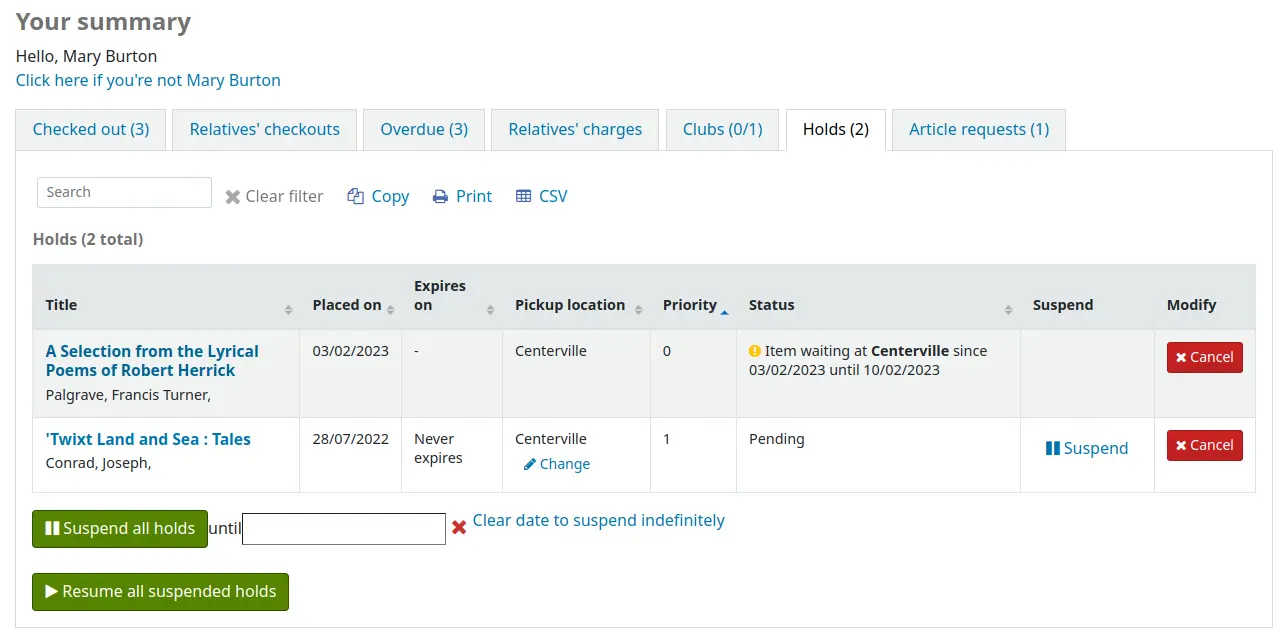
OPACAllowUserToChooseBranch
Padrão: Permitir
Pergunta: ___ que um usuário escolha a biblioteca em que retirará uma reserva.
Valores:
Permitir
Não permitir
Descrição:
Alterar esta preferência não impedirá que a equipe transfira títulos de uma biblioteca para outra para atender a uma reserva; apenas impedirá que os usuários informem que pretendem retirar um livro em uma biblioteca diferente de sua biblioteca de origem.
A lista de locais de retirada disponíveis incluirá todas as bibliotecas cuja opção ‘Local de retirada’ estiver definida como ‘Sim’ na página de configuração da biblioteca.
OPACHoldsIfAvailableAtPickup
Padrão: Permitir
Pergunta: ___ a retirada de reservas em bibliotecas onde o exemplar estiver disponível.
Valores:
Não permitir
Permitir
Descrição:
Impede que os usuários solicitem exemplares que estão na estante da mesma unidade em que desejam retirá-los.
OPACHoldsIfAvailableAtPickupExceptions
Pergunta: Categorias de usuários não afetadas por OPACHoldsIfAvailableAtPickup: ___
Valores:
Os valores são as categorias de usuários; é possível selecionar várias categorias.
Padrão: nenhum
Descrição:
As categorias de usuários selecionadas aqui não serão afetadas por OPACHoldsIfAvailableAtPickup.
PlaceHoldsOnOrdersFromSuggestions
Versão
Este recurso foi introduzido pela primeira vez na versão 24.05 do Koha.
Pergunta: ___ fazer uma reserva ao realizar um pedido a partir de uma sugestão.
Valores:
Não fazer
Fazer
Padrão: Não fazer
Descrição:
Esta preferência do sistema controla se uma reserva será feita automaticamente para o usuário que enviou uma sugestão de aquisição quando o bibliotecário fizer um pedido a partir dessa sugestão.
Quando esta preferência estiver definida como ‘sim’, uma reserva será feita para o usuário assim que a linha do pedido for criada a partir da sugestão. A biblioteca de retirada da reserva será definida como a biblioteca que gerencia a sugestão.
Este recurso pode criar reservas que, de outro modo, não seriam permitidas por outras preferências do sistema nem pelas regras de circulação. Por exemplo, ele pode criar reservas de registros bibliográficos sem exemplares (se o exemplar não for criado ao fazer o pedido) e de exemplares com tipos de material não reserváveis. Isso é atenuado pelo fato de a equipe da biblioteca decidir se fará o pedido diretamente a partir da sugestão e qual tipo de material atribuirá.
RealTimeHoldsQueue
Pergunta: ___ a atualização da fila de reservas em tempo real.
Padrão: Desabilitar
Valores:
Desabilitar
Habilitar
Descrição:
Esta preferência do sistema é usada para ativar a atualização automática da fila de reservas.
Se esta preferência do sistema estiver definida como ‘Desativar’, a tarefa agendada build_holds_queue.pl deverá ser executada regularmente para criar a fila de reservas.
ReservesControlBranch
Padrão: biblioteca de origem do exemplar
Pergunta: Verificar a ___ para determinar se o usuário pode reservar o exemplar.
Valores:
biblioteca de origem do exemplar.
biblioteca de origem do usuário.
ReservesMaxPickUpDelay
Padrão: 7
Pergunta: Marcar uma reserva como problemática se estiver aguardando há mais de ___ dias.
Descrição:
Esta preferência (baseada em dias corridos, não no calendário de feriados do Koha) define uma data de expiração para um exemplar reservado por um usuário. Após essa data, a equipe terá a opção de liberar a reserva não retirada, e o exemplar poderá retornar à estante da biblioteca ou ser destinado ao próximo usuário na lista de reservas. Os exemplares que ‘expiram’ por esta preferência são movidos para a aba ‘Reservas expiradas’ no relatório Reservas aguardando retirada.
Nota
Isto pode ser definido de forma mais detalhada nas regras de circulação e multas.
ReservesNeedReturns
Padrão: Não automaticamente
Pergunta: ___ marcar automaticamente as reservas como encontradas e aguardando quando forem feitas especificamente para exemplares que já estão devolvidos.
Valores:
automaticamente
Não automaticamente
Descrição:
Esta preferência refere-se a reservas de ‘exemplar específico’ quando o exemplar está atualmente na estante da biblioteca. Ela permite que a biblioteca decida se uma reserva de ‘exemplar específico’ será marcada como “Aguardando” no momento em que for feita ou somente depois que o exemplar for devolvido. A preferência informará ao usuário que o exemplar está ‘Aguardando’ na biblioteca e pronto para empréstimo.
StaticHoldsQueueWeight, HoldsQueueSkipClosed e RandomizeHoldsQueueWeight
Padrão de StaticHoldsQueueWeight: 0
Padrão de HoldsQueueSkipClosed: aberta ou fechada
Padrão de RandomizeHoldsQueueWeight: nessa ordem
Pergunta: Atender às reservas usando exemplares das bibliotecas ___ (como branchcodes separados por vírgulas; se estiver vazio, usar todas as bibliotecas) quando elas estiverem ___ ___.
Valores de HoldsQueueSkipClosed:
aberta ou fechada
aberta
Valores de RandomizeHoldsQueueWeight:
em ordem aleatória
Se StaticHoldsQueueWeight permanecer com o valor padrão, o Koha ordenará aleatoriamente todas as bibliotecas; caso contrário, ordenará aleatoriamente as bibliotecas listadas.
nessa ordem
Se StaticHoldsQueueWeight permanecer com o valor padrão, serão usadas todas as unidades em ordem alfabética; caso contrário, serão usadas as unidades na ordem em que foram inseridas na preferência StaticHoldsQueueWeight.
Descrições:
Estas preferências do sistema controlam como o relatório Fila de reservas é gerado por uma tarefa agendada.
Se você não quiser que todas as bibliotecas participem do processo de atendimento de reservas de exemplares disponíveis na estante, liste aqui as bibliotecas que *participam* do processo, inserindo os branchcodes de todas as bibliotecas participantes separados por vírgulas (por exemplo, “MPL,CPL,SPL,BML” etc.).
Por padrão, a fila de reservas será gerada de modo que o sistema tente primeiro atender a reserva usando exemplares que já estejam na biblioteca de retirada, se possível. Se não houver exemplares disponíveis nessa biblioteca, build_holds_queue.pl usará a lista de bibliotecas definida em StaticHoldsQueueWeight. Se RandomizeHoldsQueueWeight estiver desabilitada (como ocorre por padrão), o script atribuirá as solicitações de atendimento na ordem em que as bibliotecas aparecem na preferência do sistema StaticHoldsQueueWeight.
Por exemplo, se o seu sistema tem três bibliotecas de tamanhos variados (pequena, média e grande) e você deseja que a maior incidência de reservas recaia sobre as bibliotecas maiores antes das menores, você pode configurar StaticHoldsQueueWeight para algo como “GDE,MED,PEQ”.
Caso você queira que o encargo das reservas recaia de maneira equânime na rede de bibliotecas, simplesmente ative a preferência RandomizeHoldsQueueWeight.Quando esta preferência do sistema está ativa, a ordem na qual cada biblioteca será solicitada a atender reservas será aleatória a cada vez que a lista for gerada.
Importante
A Matriz de custos de transporte tem precedência no controle da origem dos exemplares usados para atender às reservas. Se a matriz não for usada, o Koha consultará StaticHoldsQueueWeight. Para usar a Matriz de custos de transporte, basta definir a preferência UseTransportCostMatrix como ‘Usar’
SuspendHoldsIntranet
Padrão: Permitir
Pergunta: ___ que as reservas sejam suspensas pela interface administrativa.
Valores:
Permitir
Não permitir
Descrição:
O recurso de suspensão de reservas pode ser ativado e desativado na interface administrativa alterando esta preferência do sistema. Se estiver definida como ‘permitir’, recomenda-se definir também a preferência do sistema AutoResumeSuspendedHolds.
SuspendHoldsOpac
Padrão: Permitir
Pergunta: ___ que as reservas sejam suspensas pelo OPAC.
Valores:
Permitir
Não permitir
Descrição:
O recurso de suspensão de reservas pode ser ativado e desativado no OPAC alterando esta preferência do sistema. Se estiver definida como ‘permitir’, recomenda-se definir também a preferência do sistema AutoResumeSuspendedHolds.
TransferWhenCancelAllWaitingHolds
Padrão: Não transferir
Pergunta: ___ exemplares ao cancelar todas as reservas aguardando.
Valores:
Não transferir
Transferir
Descrição:
Quando TransferWhenCancelAllWaitingHolds estiver definida como “Não transferir”, nenhum registro de transferência entre unidades será criado. O Koha não permitirá que as reservas sejam transferidas, pois isso deixaria os exemplares sem destino na biblioteca onde aguardavam retirada, sem outras instruções à equipe sobre quais exemplares estão na biblioteca ou para onde devem ir. Quando essa preferência do sistema estiver definida como “Transferir”, serão criadas transferências entre unidades, e as reservas poderão ser canceladas.
UpdateItemWhenLostFromHoldList
Pergunta: Atualizar os valores do exemplar quando ele for marcado como perdido na tela de reservas a retirar.
Descrição:
Esta é uma lista de valores para atualizar um exemplar quando ele for marcado como perdido na tela de reservas a retirar. Por exemplo, escreva “itemlost: 1” para definir o valor itemlost do exemplar como 1 quando ele for marcado como perdido. Será usado o valor autorizado 1 da categoria de valores autorizados LOST.
Exemplos de palavras-chave:
itemlost: estado de perdido, usa a categoria de valores autorizados LOST
notforloan: estado de não emprestável, usa a categoria de valores autorizados NOT_LOAN
withdrawn: estado de retirado de circulação, usa a categoria de valores autorizados WITHDRAWN
damaged: estado de danificado, usa a categoria de valores autorizados DAMAGED
location: código de localização, usa a categoria de valores autorizados LOC
ccode: código da coleção, usa a categoria de valores autorizados CCODE
Esta preferência requer que a preferência do sistema CanMarkHoldsToPullAsLost esteja definida como uma das opções ‘Permitir’
Aviso
Exige a sintaxe YAML para funcionar.
Isso significa
Certifique-se de que NÃO há espaço entre o nome do campo e os dois-pontos
Certifique-se de que HÁ um espaço entre os dois-pontos e o valor
Certifique-se de que cada par está em sua própria linha
UseHoldsQueueFilterOptions
Versão
Este recurso foi introduzido pela primeira vez na versão 26.05 do Koha.
Asks: ___ If enabled, the holds queue will present the user with filter options before running. If disabled, the holds queue will show the full queue for the current branch, and additional filters can be applied afterward.
Valores:
Habilitar
Desabilitar
Padrão: Ativar
Descrição:
When this system preference is set to ‘Enable’ it will give the option to
limit the results of the Holds queue using filters. This may prevent slowing down other operations in the system due to large holds queues or a large library network. - When set to ‘Disable’ it will run the Holds queue for the currently logged in branch. The benefit here is that fewer clicks are required to run the Holds queue.
Módulo de atendimento domiciliar
HouseboundModule
Pergunta: ___ o módulo de atendimento domiciliar.
Valores:
Desabilitar
Habilitar
Padrão: Desabilitar
Descrição:
Esta preferência ativa ou desativa o módulo de Atendimento domiciliar, que gerencia a circulação para leitores atendidos em domicílio.
Interface
AllowAllMessageDeletion
Padrão: Não permitir
Pergunta: ___ que a equipe exclua mensagens adicionadas por outras bibliotecas.
Valores:
Permitir
Não permitir
AllowCheckoutNotes
Padrão: Não permitir
Pergunta: ___ que os usuários enviem observações sobre exemplares emprestados.
Valores:
Não permitir
Permitir
Se esta preferência estiver definida como permitir, os usuários terão a opção de adicionar no OPAC uma observação a um exemplar emprestado. Essa observação será vista pela equipe quando o exemplar for devolvido.
AutoSwitchPatron
Pergunta: ___ o redirecionamento automático para outro usuário quando o número da carteira de um usuário for lido em vez do código de barras de um exemplar.
Padrão: Não habilitar
Valores:
Não habilitar
Habilitar
Descrição:
Ativar esta preferência do sistema permite que a equipe leia o código de barras de um usuário em vez do código de barras de um exemplar na caixa de empréstimo para alternar entre registros de usuários.
Aviso
Isto não deve ser ativado se houver números de carteira de usuários e códigos de barras de exemplares coincidentes.
CircAutoPrintQuickSlip
Pergunta: Quando um campo de código de barras vazio for enviado na circulação, ___ .
Padrão: abrir uma janela de impressão de comprovante rápido
Valores:
limpar a tela
não fazer nada
Versão
A opção ‘não fazer nada’ foi adicionada ao Koha na versão 24.05.
abrir uma janela de impressão de comprovante rápido
abrir uma janela de impressão de comprovante
Descrição:
Se esta preferência estiver definida para abrir um comprovante rápido (ISSUEQSLIP) ou abrir um comprovante (ISSUESLIP) para impressão, o bibliotecário não precisará clicar no botão de impressão para gerar um recibo de empréstimo para o usuário atendido. Se a preferência estiver definida para limpar a tela, enviar um código de barras vazio ao “realizar o empréstimo” limpará da tela o usuário com quem você trabalhou por último.
CircConfirmItemParts
Pergunta: ___ que a equipe confirme que todas as partes de um exemplar estão presentes na devolução/no empréstimo.
Padrão: não exigir
Valores:
não exigir
Exigir
Descrição:
Esta preferência do sistema controla se uma mensagem ou um alerta solicitando confirmação será exibido ao emprestar ou devolver um exemplar com materiais acompanhantes.
A mensagem/o alerta aparecerá se o exemplar tiver um valor no campo de exemplar “3 - Materiais especificados (volume encadernado ou outra parte)” (952$3)
Se o valor estiver definido como “Não exigir”, uma mensagem simples aparecerá na devolução e no empréstimo

Se o valor estiver definido como “Exigir”, haverá um alerta solicitando que a equipe confirme ter verificado que todas as partes estão presentes
No empréstimo

Na devolução
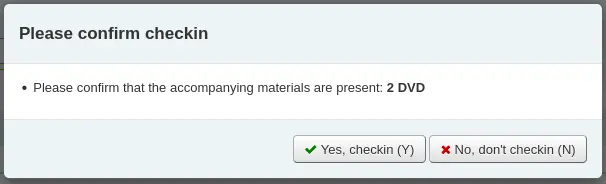
DisplayClearScreenButton
Pergunta: ___ para remover o usuário atual da tela de circulação.
Valores:
Exibir botões de imprimir comprovante rápido e limpar
Exibir botões de imprimir comprovante e limpar
Não exibir o botão de limpar a tela
Padrão: Não exibir o botão de limpar a tela
Descrição:
Esta preferência do sistema é usada para exibir um pequeno botão no canto da caixa de empréstimo para imprimir o comprovante rápido ou o comprovante e retornar à página principal de empréstimos

ExportCircHistory
Pergunta: ___ a opção de exportar os empréstimos dos usuários.
Padrão: Não exibir
Valores:
Não exibir
Exibir
Descrição:
Esta preferência do sistema ativa a opção de exportar os empréstimos dos usuários nos formatos MARC ou CSV.
Aviso
Ao contrário do que seu nome sugere, esta opção não está disponível para o histórico de empréstimos dos usuários. Ela se aplica apenas aos empréstimos atuais.
ExportRemoveFields
Pergunta: Os seguintes campos devem ser excluídos da exportação CSV ou MARC (ISO 2709) dos empréstimos do usuário: ___
Descrição:
Esta lista de campos separados por espaços (por exemplo, 100a 245b) será excluída automaticamente ao exportar os empréstimos atuais do usuário.
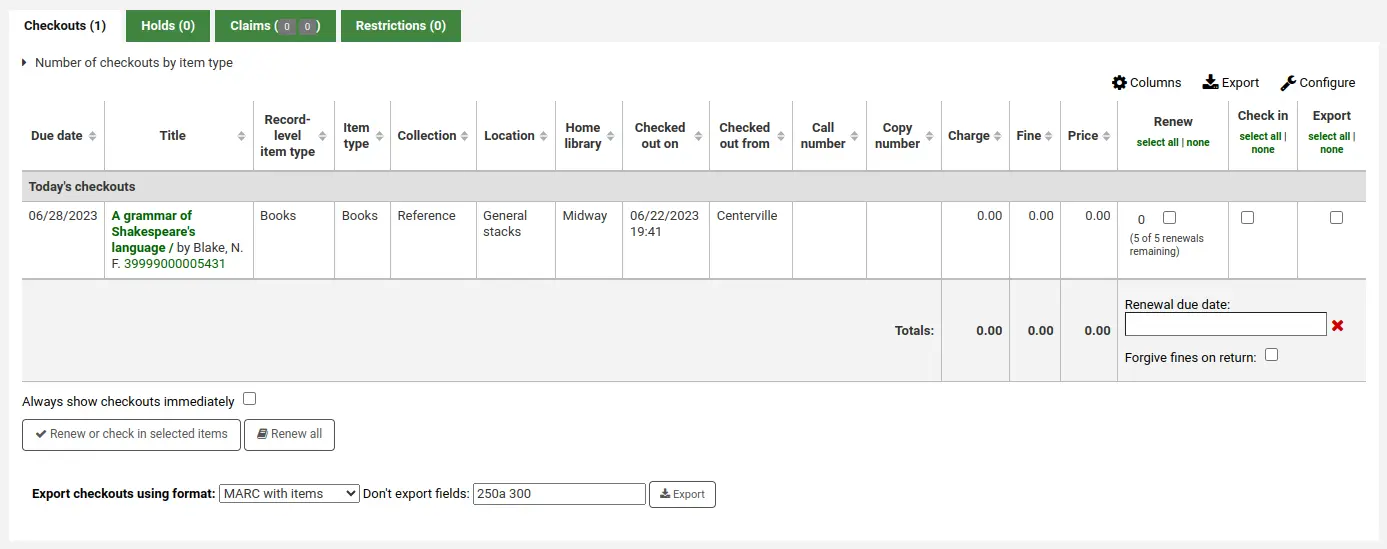
Esta preferência do sistema requer que ExportCircHistory esteja ativada.
FilterBeforeOverdueReport
Padrão: não exigir
Pergunta: ___ que a equipe escolha quais empréstimos exibir antes de executar o relatório de atrasos.
Descrição:
O relatório de atrasos do Koha mostra todos os exemplares atrasados no sistema da biblioteca. Se o sistema for grande, recomenda-se definir esta preferência como ‘Exigir’ para obrigar quem executar o relatório a primeiro limitar os dados gerados por unidade, intervalo de datas, categoria de usuário ou outro filtro semelhante. Exigir a filtragem do relatório antes da execução impede que a equipe execute um relatório pesado para o sistema e torne mais lentas as demais operações.

Valores:
não exigir
Exigir
FineNotifyAtCheckin
Padrão: Não notificar
Pergunta: ___ os bibliotecários sobre multas por atraso dos exemplares que estão devolvendo.
Valores:
Não notificar
Notificar
Descrição:
Com esta preferência do sistema definida como ‘Notificar’, todos os livros com multas por atraso pendentes exibirão um aviso pop-up ao serem devolvidos. Será necessário confirmar esse aviso antes de continuar as devoluções. Com a preferência definida como ‘Não notificar’, você ainda verá as multas devidas no registro do usuário, mas não receberá uma notificação adicional na devolução.

HoldsQueueParallelLoopsCount
Versão
Este recurso foi introduzido na versão 24.11 do Koha.
Pergunta: Ao criar a fila de reservas, calcular as correspondências de reservas usando ___ ciclos paralelos. Quanto mais ciclos forem usados, mais rápido será o cálculo e mais recursos computacionais serão utilizados.
Padrão: 1
Descrição:
Esta preferência do sistema permite aumentar o número de cálculos paralelos, ou ‘ciclos’, usados para criar a Fila de reservas.
Quanto maior o número de ciclos paralelos, mais rapidamente a fila de reservas será criada.
Aumentar o número de ciclos é útil para serviços de biblioteca com grande quantidade de reservas pendentes (por exemplo, vários milhares). Bibliotecas menores devem usar o padrão de 1 ciclo paralelo.
Aviso
Aumentar o número de ciclos faz com que o Koha use mais recursos do servidor ao criar a fila de reservas, o que pode tornar o sistema mais lento.
HoldsToPullStartDate
Padrão: 2
Pergunta: Definir a data inicial padrão da lista Reservas a retirar como ___ dias atrás.
Descrição:
O relatório Reservas a retirar em circulação usa por padrão um filtro para reservas feitas há 2 dias. Esta preferência permite definir esse filtro padrão como qualquer número de dias.
Nota
A data final padrão é controlada pela preferência do sistema ConfirmFutureHolds.
itemBarcodeFallbackSearch
Padrão: Não habilitar
Pergunta: ___ o uso automático de uma pesquisa por palavra-chave no catálogo se a expressão inserida como código de barras na página de empréstimo não retornar resultados na pesquisa por código de barras do exemplar.
Valores:
Não habilitar
Habilitar
Descrição:
Às vezes, as bibliotecas desejam realizar empréstimos usando algo diferente do código de barras. Ativar esta preferência fará uma pesquisa por palavra-chave no Koha para encontrar o exemplar que você está tentando emprestar. Você poderá usar o número de chamada, o código de barras, parte do título ou qualquer termo que usaria na pesquisa por palavra-chave; o Koha perguntará qual exemplar você está tentando emprestar.
Importante
Embora você não esteja pesquisando pelo código de barras, cada título emprestado precisa ter um código de barras. Somente títulos com códigos de barras aparecerão nos resultados da pesquisa.
itemBarcodeInputFilter
Padrão: Não filtrar
Pergunta: ___ códigos de barras de exemplares digitalizados.
Valores:
Converter do formato CueCat
Converter do formato Libsuite8
Não filtrar
Formato EAN-13 ou UPC-A preenchido com zeros
Remover espaços de
Remover o primeiro número do estilo com prefixo T
Este formato é comum entre bibliotecas que estão migrando de sistemas Follett
Aviso
Observe que todos os espaços em branco iniciais ou finais de um código de barras são removidos antes deste filtro.
NoticeCSS
Pergunta: Incluir a folha de estilos em ___ nos avisos.
Importante
Deve ser uma URL completa, iniciada por http://
Descrição:
Se desejar estilizar seus avisos com um conjunto consistente de fontes e cores, use esta preferência para indicar ao Koha uma folha de estilos específica para os avisos.
numReturnedItemsToShow
Padrão: 20
Pergunta: Exibir os últimos ___ exemplares devolvidos na tela de devolução.
PatronAutoComplete
Pergunta: ___ adivinhar o usuário que está sendo inserido durante a digitação em uma pesquisa de usuários para circulação ou na pesquisa de usuários. Retorna apenas os primeiros 10 resultados por vez.
Padrão: Tentar
Valores:
Tentar
Não tentar
Descrição:
Esta preferência do sistema ativa o recurso de preenchimento automático na pesquisa de usuários nos módulos Usuários e Circulação.
Defini-la como “Tentar” permite que um membro da equipe comece a digitar um nome ou outro valor no campo e receba um menu pop-up com sugestões para completá-lo. Defini-la como “Não tentar” desativa esse recurso.
Esta preferência pode facilitar o trabalho da equipe ou, potencialmente, tornar mais lento o carregamento da página.
previousIssuesDefaultSortOrder
Pergunta: Ordenar os empréstimos anteriores na página de circulação pela data de devolução, de ___.
Padrão: da mais antiga para a mais recente
Valores:
da mais antiga para a mais recente
da mais recente para a mais antiga
Descrição:
Esta preferência do sistema controla como os empréstimos anteriores serão exibidos na aba de empréstimos do usuário.
Se escolher ‘da mais antiga para a mais recente’, o empréstimo mais antigo ficará no topo.
Se escolher ‘da mais recente para a mais antiga’, o empréstimo mais recente ficará no topo.
RecordLocalUseOnReturn
Padrão: Não registrar
Pergunta: ___ o uso local quando um exemplar não emprestado for devolvido.
Valores:
Não registrar
Registrar
Descrição:
Quando esta preferência está definida como “Não registrar”, você pode registrar o uso local de exemplares emprestando-os ao usuário estatístico. Com a preferência definida como “Registrar”, você pode registrar o uso local emprestando ao usuário estatístico e/ou devolvendo um livro que não está atualmente emprestado.
ShowAllCheckins
Pergunta: ___ todos os exemplares na lista “Exemplares devolvidos”, inclusive os que não estavam emprestados.
Valores:
Não exibir
Exibir
Padrão: Não exibir
Descrição:
Quando exemplares que não estão atualmente emprestados são devolvidos, eles não aparecem na lista de exemplares devolvidos. Esta preferência do sistema permite escolher o que será listado.
SpecifyDueDate
Pergunta: ___ que a equipe especifique uma data de devolução para um empréstimo.
Padrão: Permitir
Valores:
Não permitir
Permitir
Descrição:
Esta preferência permite que a equipe de circulação altere a data de devolução automática, definida pelas regras de circulação e multas, para outra data do calendário durante o empréstimo.
Esta opção pode ser usada em situações nas quais seja necessário antecipar ou prorrogar a data de devolução por qualquer motivo.
SpecifyReturnDate
Padrão: Não permitir
Pergunta: ___ que a equipe especifique uma data de devolução ao devolver um exemplar.
Valores:
Permitir
Não permitir
Descrição:
Esta preferência permite decidir se a equipe pode especificar uma data de devolução arbitrária ao devolver exemplares. Se uma data arbitrária for especificada, as multas serão recalculadas de acordo com ela.
todaysIssuesDefaultSortOrder
Pergunta: Ordenar os empréstimos de hoje na página de circulação pela data de devolução, de ___.
Padrão: da mais recente para a mais antiga
Valores:
da mais antiga para a mais recente
da mais recente para a mais antiga
Descrição:
Esta preferência do sistema controla como os empréstimos de hoje serão exibidos na aba Empréstimos do usuário
Se escolher ‘da mais antiga para a mais recente’, o empréstimo mais antigo ficará no topo.
Se escolher ‘da mais recente para a mais antiga’, o empréstimo mais recente ficará no topo.
UpdateTotalIssuesOnCirc
Pergunta: ___ atualizar a contagem total de empréstimos de um registro bibliográfico sempre que um exemplar for emprestado.
Valores:
Fazer
Importante
Isto aumenta significativamente a carga do servidor. Se o desempenho for uma preocupação, use a tarefa agendada para atualizar a contagem total de empréstimos.
Não fazer
Padrão: Não fazer
Descrição:
O Koha pode acompanhar quantas vezes um exemplar foi emprestado e armazenar essa informação no registro do exemplar no banco de dados. Por padrão, ela não é armazenada. Definir esta preferência como ‘Sim’ fará o Koha acompanhar a informação em tempo real sempre que o exemplar for emprestado. Caso contrário, você pode usar a tarefa agendada para que o Koha atualize esse campo todas as noites.
UseCirculationDesks
Pergunta: ___ balcões de circulação com a circulação
Padrão: Não utilizar
Valores:
Não utilizar
Utilizar
Descrição:
Esta preferência ativa a possibilidade de gerenciar vários balcões de circulação em uma única biblioteca.
WaitingNotifyAtCheckin
Padrão: Não notificar
Pergunta: ___ os bibliotecários sobre reservas aguardando para o usuário cujos exemplares estão sendo devolvidos.
Valores:
Não notificar
Notificar
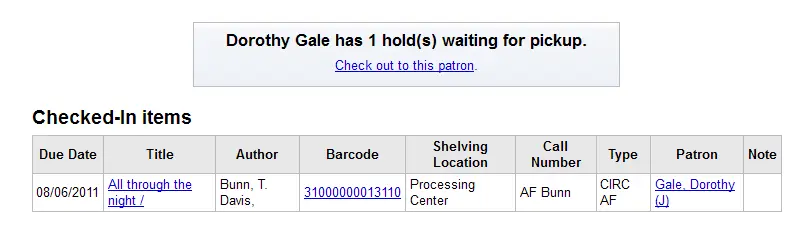
Descrição:
Ao devolver livros, você pode escolher se um aviso pop-up aparecerá quando o usuário que devolveu o livro tiver uma reserva aguardando retirada. Se escolher ‘Notificar’ para WaitingNotifyAtCheckin, sempre que for encontrada uma reserva para o usuário que retirou o livro por último, uma mensagem aparecerá na tela de devolução.
WaitingNotifyAtCheckout
Versão
Esta preferência do sistema foi introduzida na versão 24.05 do Koha.
Pergunta: ___ os bibliotecários sobre reservas aguardando para o usuário a quem estão emprestando exemplares.
Padrão: Não notificar
Valores:
Não notificar
Notificar
Descrição:
Esta preferência do sistema é usada para ativar uma janela pop-up no módulo de circulação, alertando a equipe de que o usuário a quem estão emprestando exemplares também possui reservas aguardando.
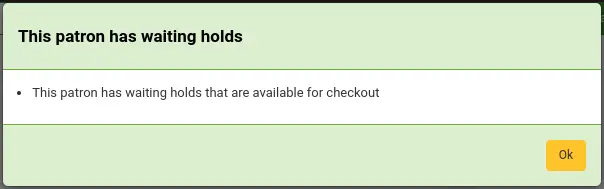
Nota
Atualmente, a janela pop-up aparece após cada empréstimo, mesmo para empréstimos ao mesmo usuário.
Conjuntos de exemplares
BundleLostValue
Pergunta: Usar o valor autorizado LOST ___ para representar ‘ausente do conjunto’ na devolução.
Valores:
Os valores são provenientes da categoria de valores autorizados LOST
Padrão: Ausente do conjunto
Descrição:
Esta preferência do sistema é usada na circulação de conjuntos de exemplares para definir o estado de perdido do exemplar quando ele estiver ausente do conjunto na devolução.
O valor padrão desta preferência é o estado ‘Ausente do conjunto’ nos valores padrão da categoria de valores autorizados LOST. Se você não instalou os valores padrão, certifique-se de que o valor da preferência do sistema corresponda a um estado de perdido existente.
BundleNotLoanValue
Pergunta: Usar o valor autorizado NOT_LOAN ___ para representar ‘adicionado ao conjunto’ quando um exemplar for anexado a um conjunto.
Valores:
Os valores são provenientes da categoria de valores autorizados NOT_LOAN
Padrão: Adicionado ao conjunto
Descrição:
Esta preferência do sistema é usada ao criar conjuntos de exemplares para definir o estado de não emprestável do exemplar quando ele for adicionado a um conjunto, de modo que o exemplar não possa circular sozinho, mas apenas como parte do conjunto.
O valor padrão desta preferência é o estado ‘Adicionado ao conjunto’ nos valores padrão da categoria de valores autorizados NOT_LOAN. Se você não instalou os valores padrão, certifique-se de que o valor da preferência do sistema corresponda a um estado de não emprestável existente (o estado deve ser positivo para que os usuários não possam fazer reservas do exemplar incluído no conjunto).
Política de exemplares perdidos
DefaultLongOverdueChargeValue
Pergunta: Cobrar um exemplar perdido na conta do usuário quando o valor autorizado LOST do exemplar mudar para: ___
Valores:
Os valores são provenientes da categoria de valores autorizados LOST
Padrão: nenhum
Descrição:
Deixe este campo vazio se não quiser cobrar do usuário pelos exemplares perdidos. Se quiser realizar a cobrança, insira o valor autorizado LOST usado na preferência DefaultLongOverdueLostValue.
Esta preferência é usada quando a tarefa agendada longoverdue é executada sem o parâmetro –charge.
DefaultLongOverdueLostValue e DefaultLongOverdueDays
Pergunta: Por padrão, definir o valor autorizado LOST de um exemplar como ___ quando ele estiver atrasado há mais de ___ dias.
Valores de DefaultLongOverdueLostValue:
Os valores são provenientes da categoria de valores autorizados LOST
Padrão: nenhum
Descrição:
Estas preferências do sistema são usadas para ativar o processo automático de perda de exemplares atrasados. Deixe estes campos vazios se não quiser ativar o recurso.
Definir os valores como ‘Perdido’ e 30, por exemplo, marcará o exemplar com o estado ‘Perdido’ depois que ele estiver atrasado há 30 dias.
Estas preferências do sistema são usadas quando a tarefa agendada longoverdue é executada sem o parâmetro
--lost.Estas preferências do sistema permitem que os usuários definam os valores da tarefa agendada longoverdue sem precisar editar o crontab.
DefaultLongOverdueSkipLostStatuses
Pergunta: Ao usar o processo automático de perda de exemplares, ignorar exemplares cujos valores LOST correspondam a qualquer um de ___ .
Valores:
Os valores são provenientes da categoria de valores autorizados LOST
Padrão: nenhum
Descrição:
Esta preferência do sistema funciona em conjunto com as preferências do sistema DefaultLongOverdueLostValue e DefaultLongOverdueDays.
Quando exemplares perdidos não são marcados como devolvidos e a biblioteca usa DefaultLongOverdueLostValue/DefaultLongOverdueDays ou a tarefa agendada longoverdue, eles ainda ficam sujeitos a essa tarefa. Assim, um exemplar já marcado como perdido pode mudar automaticamente para ‘Atraso prolongado’. A biblioteca pode não desejar que o valor de perdido seja alterado. Isso se torna especialmente importante com a introdução de alegações de devolução, que usam vários estados de perdido.
Deixe este campo vazio se não quiser ignorar nenhum estado de perdido.
Defina como uma lista de valores separados por vírgulas da categoria de valores autorizados LOST, por exemplo, 5,6,7.
IssueLostItem
Pergunta: Ao emprestar um exemplar marcado como perdido, ___.
Valores:
exibir uma mensagem
exigir confirmação
não fazer nada
Padrão: exibir uma mensagem
Descrição:
Esta preferência do sistema é usada para definir se e como a equipe será notificada de que um exemplar com estado de perdido está sendo emprestado. Se houver notificação, a equipe poderá alterar o estado, se necessário.
Se a preferência do sistema estiver definida como ‘exibir uma mensagem’, o exemplar será emprestado, mas será exibida a mensagem ‘Este exemplar foi perdido com o estado “X”.’.

Se a preferência do sistema estiver definida como ‘exigir confirmação’, o exemplar não será emprestado, e o membro da equipe deverá clicar em ‘Sim, emprestar’ ou “Não, não emprestar” para confirmar.

Se a preferência do sistema estiver definida como ‘não fazer nada’, o exemplar será emprestado normalmente, sem qualquer notificação sobre o estado.
MarkLostItemsAsReturned
Pergunta: Marcar exemplares como devolvidos quando forem sinalizados como perdidos ___
Valores:
[Selecionar tudo]
na lista ‘Reservas a retirar’
na aba de exemplares do módulo de catalogação
ao marcar um exemplar como uma alegação de devolução
ao receber um pagamento do exemplar
Padrão:
Por padrão, as seguintes opções estão selecionadas
na lista ‘Reservas a retirar’
na aba de exemplares do módulo de catalogação
ao receber um pagamento do exemplar
Descrição:
Esta preferência do sistema permite que a biblioteca escolha quais dessas ações acionam a devolução de um exemplar da conta do usuário quando ele for marcado como perdido.
Se nenhuma opção for selecionada, o exemplar perdido permanecerá emprestado na conta do usuário.
UpdateItemLostStatusWhenPaid
Versão
Esta preferência do sistema foi adicionada ao Koha na versão 24.05.
Pergunta: Atualizar o estado do exemplar para ___ quando o saldo pendente for pago.
Valores:
Os valores são provenientes da categoria de valores autorizados LOST
Padrão: nenhum
Descrição:
Esta preferência do sistema pode ser usada para alterar automaticamente o estado de perdido de um exemplar perdido quando o usuário pagar pelo exemplar.
Por exemplo, se a preferência do sistema tiver o valor ‘Perdido e pago’, quando um usuário pagar o custo de reposição do exemplar perdido, o estado de perdido do exemplar mudará para ‘Perdido e pago’.
UpdateItemLostStatusWhenWriteoff
Versão
Esta preferência do sistema foi adicionada ao Koha na versão 24.05.
Pergunta: Atualizar o estado do exemplar para ___ quando o saldo pendente for abonado.
Valores:
Os valores são provenientes da categoria de valores autorizados LOST
Padrão: nenhum
Descrição:
Esta preferência do sistema pode ser usada para alterar automaticamente o estado de perdido de um exemplar perdido se o débito do usuário for abonado.
Por exemplo, se a preferência do sistema tiver o valor ‘Perdido e pago’, quando a equipe abonar o custo de reposição do exemplar perdido na conta de um usuário, o estado de perdido do exemplar mudará para ‘Perdido e pago’.
Restrições de usuários
AutoRemoveOverduesRestrictions
Pergunta: Ao devolver exemplares, ___ remover a restrição OVERDUES acionada pelos avisos enviados.
Padrão: Não fazer
Valores:
Não fazer
se o usuário não tiver outros exemplares atrasados
se o usuário não tiver outros exemplares que sejam motivo de suspensão
Descrição:
Usando os Acionadores de avisos de atraso/estado, você pode restringir os usuários após receberem um aviso de atraso. Esta preferência permite definir se o Koha removerá automaticamente essa restrição quando os exemplares atrasados em questão forem devolvidos.
A diferença entre remover a restrição quando não restarem exemplares atrasados e removê-la somente quando não houver nenhum exemplar que resulte em suspensão é que a segunda opção respeitará possíveis períodos de tolerância das regras de atraso também nas devoluções, e não apenas ao gerar avisos de atraso.
CumulativeRestrictionPeriods
Pergunta: ___ os períodos de restrição.
Padrão: Não acumular
Valores:
Não acumular
Acumular
Descrição:
Esta preferência do sistema controla se os períodos de restrição serão cumpridos simultânea ou consecutivamente.
Se definida como “Não acumular”, o usuário ficará restrito apenas pelo período mais longo. (Por exemplo, se tiver uma restrição de 10 dias e outra de 15 dias, ficará restrito por 15 dias.)
Se definida como “Acumular”, o usuário ficará restrito pela soma de todos os períodos de restrição. (Por exemplo, se tiver uma restrição de 10 dias e outra de 15 dias, ficará restrito por 25 dias.)
PatronRestrictionTypes
Pergunta: ___ que o tipo de restrição do usuário seja especificado ao aplicá-la manualmente.
Padrão: Não permitir
Valores:
Permitir
Não permitir
Descrição:
Esta preferência permite que a equipe escolha um tipo de restrição ao adicionar uma restrição manual a um usuário.
RestrictionBlockRenewing
Pergunta: Se um usuário estiver restrito, ___ a renovação de exemplares pela interface administrativa e pela tarefa agendada misc/cronjobs/automatic_renewals.pl.
Valores:
Permitir
Bloquear
Padrão: Permitir
Descrição:
Esta preferência afeta todas as formas de renovação realizadas pela interface administrativa e pela tarefa agendada de renovações automáticas.
Solicitações de devolução
O recurso de chamadas para devolução permite que os usuários solicitem a devolução antecipada de exemplares atualmente emprestados.
RecallsMaxPickUpDelay
Pergunta: Marcar uma chamada para devolução como problemática se estiver aguardando retirada há ___ dias.
Padrão: 7
Descrição:
Esta preferência do sistema define o número de dias que um usuário tem para retirar o exemplar chamado para devolução.
As chamadas para devolução que estiverem aguardando retirada por mais do que esse número de dias serão destacadas no módulo de circulação.
Esta preferência será aplicada se não houver um período de espera definido nas regras de circulação.
UseRecalls
Pergunta: ___ chamadas para devolução.
Padrão: Não utilizar
Valores:
Não utilizar
Utilizar
Descrição:
Este é o controle principal do recurso de chamadas para devolução.
Certifique-se de configurar as regras de circulação e multas para chamadas para devolução depois de ativá-las.
Alegações de devolução
Estas preferências do sistema são usadas pelo recurso de alegações de devolução, no qual a equipe pode marcar empréstimos como ‘devolução alegada’ quando um usuário informa ter devolvido um exemplar, e acompanhar essas alegações.
AutoClaimReturnStatusOnCheckin
Versão
Esta preferência do sistema foi adicionada ao Koha na versão 24.05.
Pergunta: Resolver automaticamente a alegação e alterar a resolução para o valor autorizado RETURN_CLAIM_RESOLUTION ___ na devolução.
Valores:
Os valores são provenientes da categoria de valores autorizados RETURN_CLAIM_RESOLUTION
Padrão: nenhum
Descrição:
Esta preferência do sistema é usada para resolver automaticamente alegações de devolução quando o exemplar for devolvido.
Se a preferência do sistema estiver vazia, o recurso será desativado e as alegações de devolução deverão ser resolvidas manualmente.
AutoClaimReturnStatusOnCheckout
Versão
Esta preferência do sistema foi adicionada ao Koha na versão 24.05.
Pergunta: Resolver automaticamente a alegação e alterar a resolução para o valor autorizado RETURN_CLAIM_RESOLUTION ___ no empréstimo.
Valores:
Os valores são provenientes da categoria de valores autorizados RETURN_CLAIM_RESOLUTION
Padrão: nenhum
Descrição:
Esta preferência do sistema é usada para resolver automaticamente alegações de devolução quando o exemplar for emprestado.
Se a preferência do sistema estiver vazia, o recurso será desativado e as alegações de devolução deverão ser resolvidas manualmente.
ClaimReturnedChargeFee
Pergunta: Ao marcar um empréstimo como “devolução alegada”,
Valores:
Perguntar se uma taxa por perda deve ser cobrada (padrão)
Cobrar uma taxa por perda
Não cobrar uma taxa por perda
Descrição:
Esta preferência permite que a biblioteca escolha se uma taxa por perda será cobrada quando a devolução de um exemplar for alegada. Se definida para perguntar, haverá uma caixa de seleção para cobrar ou não cobrar em cada transação. Se definida para cobrar, o Koha cobrará do usuário o preço de reposição do exemplar. Se definida para não cobrar, o Koha não realizará a cobrança.
ClaimReturnedLostValue
Pergunta: Usar o valor autorizado LOST ___ para representar ‘devolução alegada’.
Valores:
Os valores são provenientes da categoria de valores autorizados LOST
Padrão: nenhum
Descrição:
Esta preferência do sistema ativa o recurso de alegações de devolução
Este será o estado atribuído aos exemplares cuja devolução foi alegada.
Aviso
Isto não atualizará o estado de perdido do exemplar se já houver um estado de perdido definido.
ClaimReturnedWarningThreshold
Pergunta: Avisar aos bibliotecários que um usuário tem alegações de devolução excessivas se tiver alegado a devolução de mais de ___ exemplares.
Descrição:
Insira um número se a biblioteca quiser definir um limite para a quantidade de alegações de devolução que o usuário pode ter antes de exibir um aviso em sua tela.
CleanUpDatabaseReturnClaims
Pergunta: Remover alegações de devolução resolvidas há mais de ___ dias.
Padrão: (vazio)
Descrição:
Esta preferência do sistema é usada para excluir alegações de devolução resolvidas.
Esta preferência do sistema requer a tarefa agendada cleanup_database.pl com o parâmetro
--return-claims.
SIP2
SIP2AddOpacMessagesToScreenMessage
Pergunta: ___ mensagens do usuário do OPAC no campo de mensagem da tela SIP2.
Padrão: Enviar
Valores:
Não enviar
Enviar
Descrição:
Esta preferência do sistema determina se as mensagens do OPAC serão ou não exibidas na tela ao usar o SIP2.
As mensagens do OPAC serão precedidas por “Mensagens para você: “.
SIP2SortBinMapping
Pergunta: Usar os seguintes mapeamentos para determinar o sort_bin de um exemplar devolvido.
Descrição:
Esta preferência do sistema é usada para definir o ‘compartimento de classificação’ ou a resposta CL do equipamento SIP ao devolver um exemplar. Os mapeamentos inseridos aqui determinarão para qual compartimento o classificador SIP enviará o exemplar.
Esta preferência do sistema deve ser preenchida com uma sintaxe específica.
Cada mapeamento deve ficar em uma linha própria.
Cada mapeamento deve ter o formato
branchcode:item field:comparator:item field value:sort bin number
onde
‘branchcode’ é a biblioteca em que a devolução está sendo realizada (isto é, a biblioteca atribuída ao usuário SIP)
‘item field’ é uma coluna do banco de dados na tabela items
‘comparator’ é o tipo de comparação; os valores possíveis são:
eq(é igual a)<(é menor que)<=(é menor ou igual a)>(é maior que)>=(é maior ou igual a)ne(não é igual a)
‘item field value’ é o valor a ser comparado com o valor no ‘item field’ especificado
Nota
Especificar ‘item field value’ com um
$inicial e um nome de campo do exemplar usará o valor desse campo no exemplar para comparação.Por exemplo,
$holdingbranchcomparará o campo do exemplar com o homebranch do exemplar.‘sort bin number’ é o valor de retorno esperado no campo CL da resposta SIP para um exemplar correspondente à regra.
Dica
Os mapeamentos serão considerados na ordem em que as linhas forem escritas, começando pela primeira. Avalie cuidadosamente a lógica que os mapeamentos devem seguir e a ordem em que devem ser escritos para alcançar o resultado desejado.
Exemplos de mapeamento
CPL:itype:eq:BOOK:1Isto retornará o compartimento de classificação 1 para um exemplar com código de tipo de material ‘BOOK’ devolvido à biblioteca com branchcode ‘CPL’.
CPL:itemcallnumber:<:339.6:3Isto retornará o compartimento de classificação 3 para um exemplar com número de chamada inferior a 339.6 devolvido à biblioteca ‘CPL’.
CPL:homebranch:ne:\$holdingbranch:XIsto retornará o compartimento de classificação ‘X’ para um exemplar devolvido à CPL quando holdingbranch não for igual a homebranch (isto é, qualquer exemplar pertencente a uma biblioteca diferente de ‘CPL’).
Ter mapeamentos de vários campos de exemplar permite regras de classificação mais refinadas. Por exemplo, em vez de classificar apenas por tipo de material, a biblioteca pode classificar por tipo de material, código da coleção e estado de não emprestável.
Não há limite para o número de mapeamentos de campos de exemplar que podem ser usados em uma linha.
CPL:itype:eq:BOOK:ccode:eq:TEEN:5Isto retornará o compartimento de classificação 5 para um exemplar com código de tipo de material ‘BOOK’ e código de coleção ‘TEEN’ devolvido à biblioteca com branchcode ‘CPL’.
Caso de uso
A Biblioteca de Centerville (branchcode ‘CPL’) possui equipamento SIP que classifica os exemplares devolvidos em 4 compartimentos.
O compartimento número 1 destina-se aos exemplares da CPL que serão guardados no piso 1 (exemplares cujo código de localização é ‘FLOOR1’).
O compartimento 2 destina-se aos exemplares da CPL que serão guardados no piso 2 (exemplares cujo código de localização é ‘FLOOR2’).
O compartimento 3 destina-se aos exemplares da CPL que exigem atenção específica, por exemplo, precisam ser verificados antes de serem guardados ou fazem parte de uma coleção específica. A equipe de acervo da CPL está atualmente recolhendo a coleção Pais do piso 1 usando este compartimento.
O compartimento 4 destina-se exclusivamente a exemplares que precisam ser transferidos para outras bibliotecas (exemplares cujo homebranch não é CPL).
Este é o conteúdo da preferência do sistema SIP2SortBinMapping dessa biblioteca.
# Items to be transferred go to bin 4

CPL:homebranch:ne:$holdingbranch:4

# CPL toys, special stock and Floor 1 parent collection go to bin 3

CPL:itype:eq:TOY:3

CPL:notforloan:>=:1:3

CPL:location:eq:FLOOR1:ccode:eq:PARENT:3

# Other floor 1 CPL stock to bin 1

CPL:location:eq:FLOOR1:1

# Floor 2 CPL stock to bin 2

CPL:location:eq:FLOOR2:2
Observe que o mapeamento do compartimento 4 está no início. Isso garante que os exemplares a serem transferidos para outras bibliotecas sejam tratados primeiro; portanto, os mapeamentos seguintes se referirão apenas aos exemplares da CPL.
Os comentários são adicionados à preferência inserindo um sinal de cerquilha no início da linha de comentário.
UseLocationAsAQInSIP
Pergunta: Usar ___ para o campo AQ no protocolo SIP.
Padrão: homebranch
Valores:
homebranch
permanent_location
Descrição:
Esta preferência do sistema permite decidir qual informação do exemplar será usada como resposta AQ para o equipamento SIP.
AQ é usado em compartimentos de classificação automatizada, por exemplo, como a ‘localização permanente’ do exemplar. Para algumas bibliotecas, isso pode significar a biblioteca de origem do exemplar; para outras, pode significar sua localização permanente.
Módulo de autodevolução (sci-main.pl)
SelfCheckInModule
Pergunta: ___ o módulo independente de autodevolução (disponível em: /cgi-bin/koha/sci/sci-main.pl).
Valores:
Não habilitar
Habilitar
Padrão: Não habilitar
Descrição:
Esta preferência do sistema ativará (ou desativará) o módulo de autodevolução
SelfCheckInTimeout
Padrão: 120
Pergunta: Redefinir a tela atual de autodevolução após ___ segundos
Descrição:
Insira o número de segundos após o qual deseja que a tela de autodevolução seja atualizada e retorne à página principal (por exemplo, caso um usuário se esqueça de sair).
SelfCheckInUserCSS
Pergunta: Incluir o seguinte CSS em todas as telas de autodevolução
Descrição:
O código CSS inserido aqui substituirá qualquer CSS nas telas de autodevolução
SelfCheckInUserJS
Pergunta: Incluir o seguinte JavaScript em todas as telas de autodevolução
Descrição:
O JavaScript inserido aqui substituirá qualquer outro JavaScript nas telas de autodevolução
Módulo de autoempréstimo (sco-main.pl)
AutoSelfCheckAllowed, AutoSelfCheckID e AutoSelfCheckPass
Importante
A maioria das bibliotecas desejará manter isto definido como ‘Não permitir’. Esta preferência desativa a exigência de acessar a máquina de autoempréstimo com nome de usuário e senha da equipe, armazenando o nome de usuário e a senha para acesso automático.
Pergunta: ___ que o sistema de autoempréstimo via web acesse automaticamente com este usuário da equipe ___ e esta senha ___.
Padrão de AutoSelfCheckAllowed: Não permitir
Valores de AutoSelfCheckAllowed:
Permitir
Não permitir
Valor de AutoSelfCheckID:
O nome de usuário de um usuário da equipe com a permissão self_checkout_module.
Valor de AutoSelfCheckPass:
A senha de um usuário da equipe com a permissão self_checkout_module.
Aviso
O usuário cujas credenciais forem inseridas aqui deve ser criado especificamente para essa finalidade. Ele não poderá acessar o OPAC.
SCOAllowCheckin
Pergunta: ___ que os usuários devolvam exemplares pelo sistema de autoempréstimo via web.
Padrão: Não permitir
Valores:
Permitir
Não permitir
Descrição:
Esta preferência é usada para determinar se você deseja permitir que os usuários devolvam exemplares pelas máquinas de autoatendimento. Por padrão, a interface de autoempréstimo do Koha serve apenas para retirar exemplares.
SCOBatchCheckoutsValidCategories
Versão
Esta preferência do sistema foi adicionada ao Koha na versão 24.05.
Pergunta: Categorias de usuários autorizadas a realizar empréstimos em lote quando conectadas ao sistema de autoempréstimo: ___
Valores:
Os valores são as categorias de usuários; é possível selecionar várias categorias.
Padrão: nenhum
Descrição:
Esta preferência do sistema é usada para determinar quais categorias de usuários podem usar o empréstimo em lote no sistema de autoempréstimo.
Se esta preferência do sistema estiver vazia, ninguém poderá realizar empréstimos em lote pelo sistema de autoempréstimo. Os empréstimos deverão ser feitos um por vez.
Nota
As preferências do sistema BatchCheckouts e WebBasedSelfCheck devem estar ativadas para que esta preferência tenha efeito.
Ver também:
SCOLoadCheckoutsByDefault
Pergunta: ___ por padrão a lista de empréstimos atuais do usuário quando ele acessar o módulo de autoempréstimo.
Padrão: Exibir
Valores:
Não exibir
Exibir
Descrição:
Esta preferência do sistema determina se os empréstimos atuais do usuário serão exibidos por padrão quando ele acessar o módulo de autoempréstimo.
Em bibliotecas onde a máquina de autoempréstimo fica em um local muito visível, manter os empréstimos atuais ocultos por padrão protegerá a privacidade do usuário.
Os usuários terão a opção de ver seus empréstimos atuais usando o botão ‘Carregar seus empréstimos’.
SCOUserCSS
Pergunta: Incluir o seguinte CSS em todas as páginas do autoempréstimo via web:
Descrição:
O CSS inserido nesta preferência será usado em todas as telas de autoempréstimo do Koha.
SCOUserJS
Pergunta: Incluir o seguinte JavaScript em todas as páginas do autoempréstimo via web:
Descrição:
O JavaScript inserido nesta preferência afetará todas as telas de autoempréstimo do Koha.
SelfCheckAllowByIPRanges
Pergunta: Permitir acesso ao autoempréstimo a partir dos seguintes endereços IP: ___
Descrição:
Esta preferência do sistema é usada para limitar por faixas de IP o acesso ao módulo de autoempréstimo.
Use faixas ou endereços IP simples separados por espaços, como ‘192.168.1.1 192.168.0.0/24’.
Se não quiser limitar o acesso por faixa de IP, deixe esta preferência do sistema em branco.
SelfCheckoutByLogin
Pergunta: Fazer com que os usuários acessem o sistema de autoempréstimo via web usando ___.
Padrão: Nome de usuário e senha
Valores:
número da carteirinha
nome de usuário e senha
Descrição:
Esta preferência permite decidir como os usuários acessarão o módulo de autoempréstimo. Eles poderão usar o número da carteira (código de barras) ou o nome de usuário e a senha (os campos de nome de usuário e senha de acesso ao OPAC/à interface administrativa no registro do usuário).
Aviso
Se usar ‘número da carteira’ e AutoSelfCheckAllowed, defina SelfCheckAllowByIPRanges para impedir ataques de força bruta que tentem obter informações de usuários fora da biblioteca.
SelfCheckReceiptPrompt
Pergunta: ___ a caixa de diálogo pop-up para impressão do recibo quando o autoempréstimo for concluído.
Padrão: Exibir
Valores:
Não exibir
Exibir
Descrição:
Esta preferência controla se uma solicitação será exibida no autoempréstimo via web quando o usuário clicar no botão ‘Concluir’.
SelfCheckTimeout
Pergunta: Encerrar a sessão do usuário atual no sistema de autoempréstimo via web após ___ segundos.
Padrão: 120
Descrição:
Depois que a máquina permanecer inativa pelo tempo inserido nesta preferência, o sistema de autoempréstimo encerrará a sessão do usuário atual e retornará à tela inicial.
ShowPatronImageInWebBasedSelfCheck
Pergunta: ___ a foto do usuário (caso tenha sido adicionada) quando ele usar o autoempréstimo via web.
Padrão: Não exibir
Valores:
Não exibir
Exibir
Descrição:
Se esta preferência do sistema estiver definida como ‘Exibir’, o usuário verá sua própria foto ao acessar o módulo de autoempréstimo via web.
WebBasedSelfCheck
Pergunta: ___ o sistema de autoempréstimo via web.
Valores:
Não habilitar
Habilitar
Padrão: Não habilitar
Descrição:
Ativar esta preferência permitirá o acesso ao módulo de autoempréstimo no Koha.
O módulo de autoempréstimo está disponível em: https://SEU.URL.DO.OPAC/cgi-bin/koha/sco/sco-main.pl
Módulo de rotação de acervo
StockRotation
Pergunta: ___ o módulo de rotação de acervo.
Valores:
Desabilitar
Habilitar
Padrão: Desabilitar
Descrição:
Se definida como ‘Ativar’, o módulo de rotação de acervo aparecerá em Catalogação > Automação.